Good day all!
I’m working on a scale technique project for my teaching studio. At the moment, scales in 3rds. I’m having trouble getting Dorico to respell a key signature from Db major to C# major so that I don’t have double flats or sharps.
I’ve tried using both popover and the key signature panel to do this but in both instances, instead of changing to 7 sharps, the key signature changes to 3 flats - Eb major/C minor - definitely not what I need. Using the popover, I’ve tried the following combinations: C#, C#Maj, C#maj, C#ma, 7s, 7S, and 7#. All to no satisfactory completion.
Once I get the key signature changed, I can do the note transposition. It’s the key signature that’s confounding me!
What, if anything, am I doing wrong?
KM
Dorico 6 Pro, M1 MacBook Pro, Mac OS Tahoe - 26.1
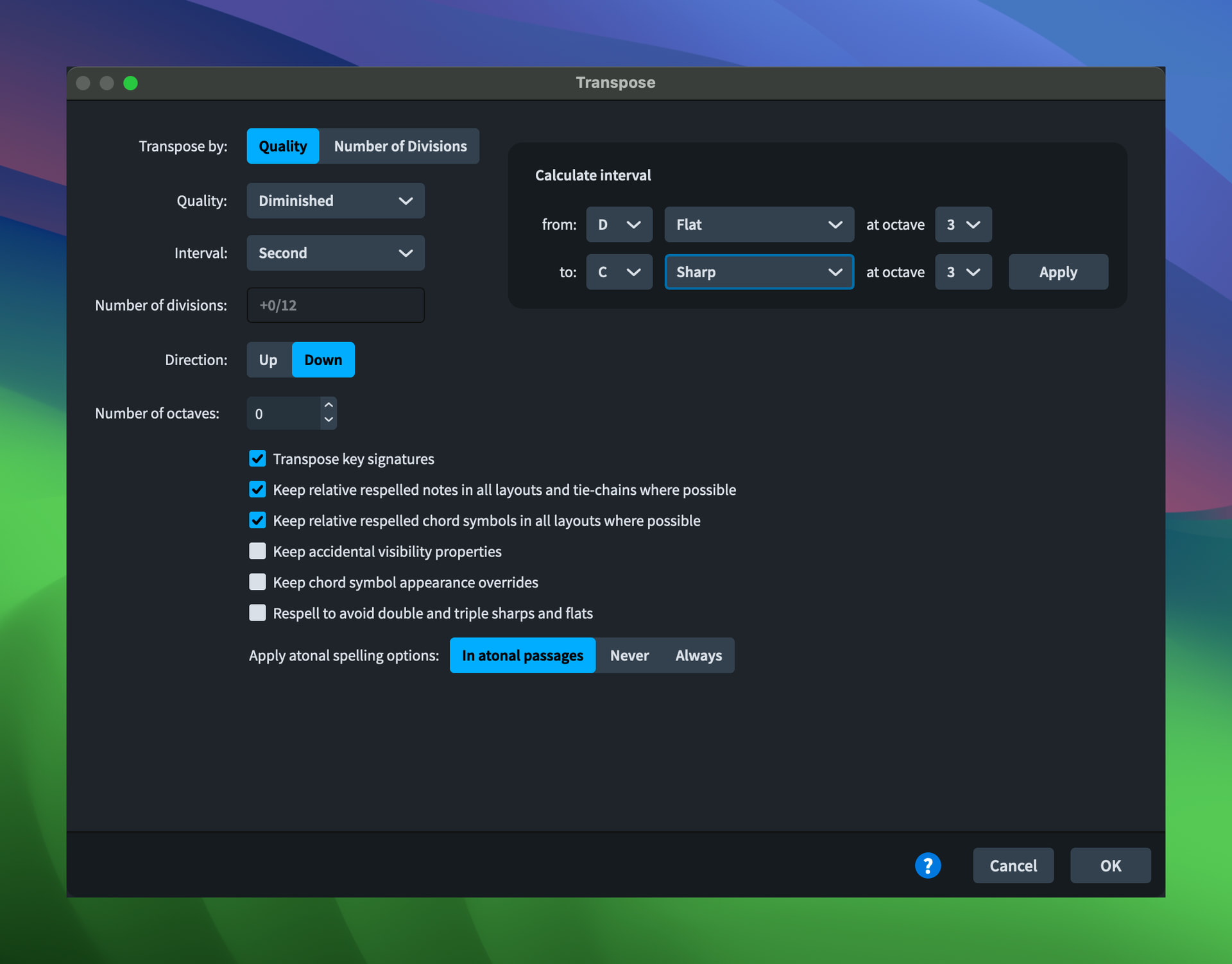
Hi @Kerry_Moffit, you need to transpose a diminished second down. Here an example: using the calculator on the right of the Dialogue, and clicking apply you will see the correct settings appear (or just use music theory: Dd-C#=diminished second down:
Make sure you have both notes and the key signature selected, before invoking the Transpose dialogue (or select an item in the flow to point out which flow you want to transpose, and then deselect everything, if you want to transpose the whole flow… but this can give problems if you have multiple key signatures that can cause impossible transpositions), and to have also Transpose key signatures checked.

3 Likes
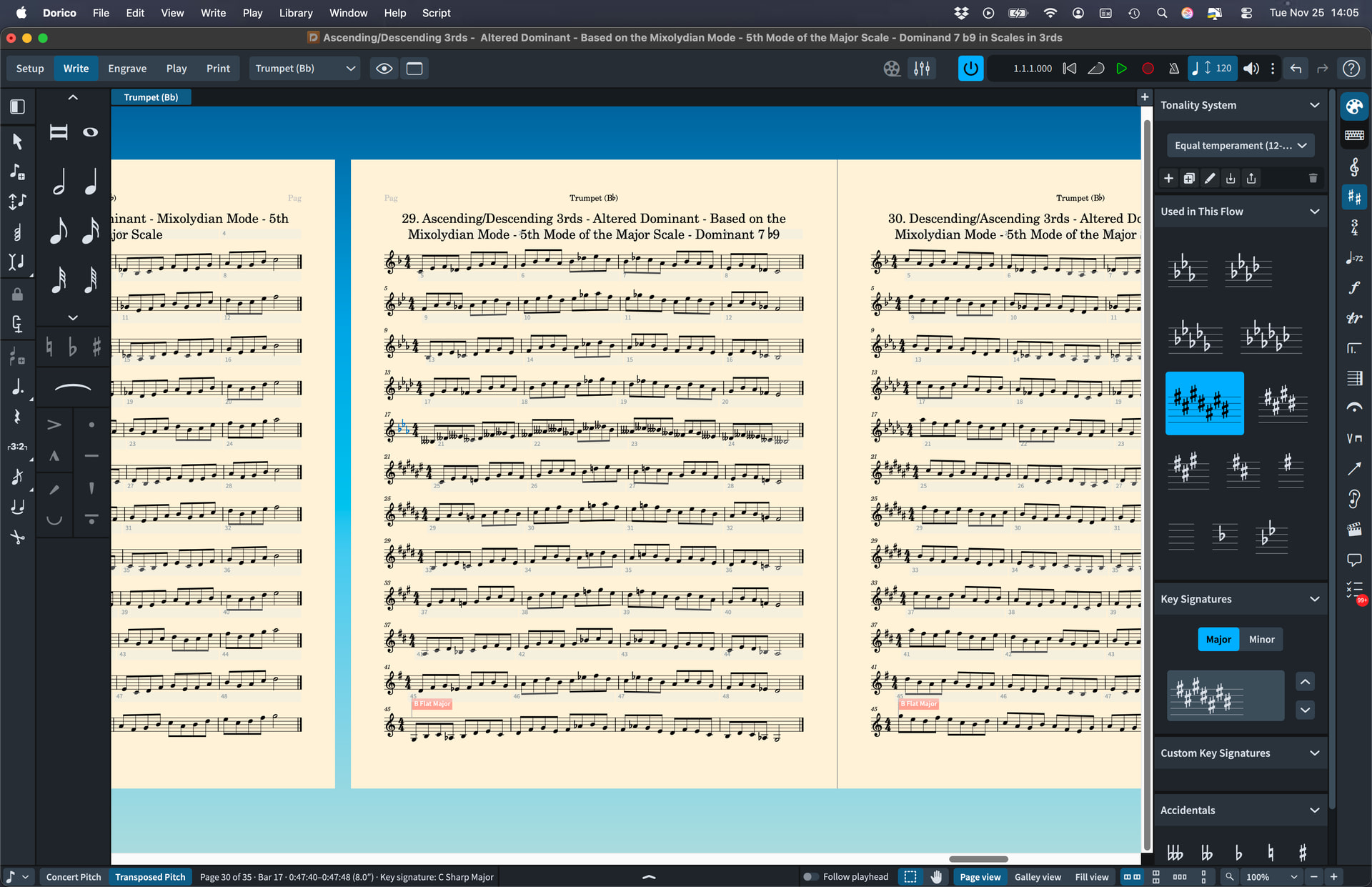
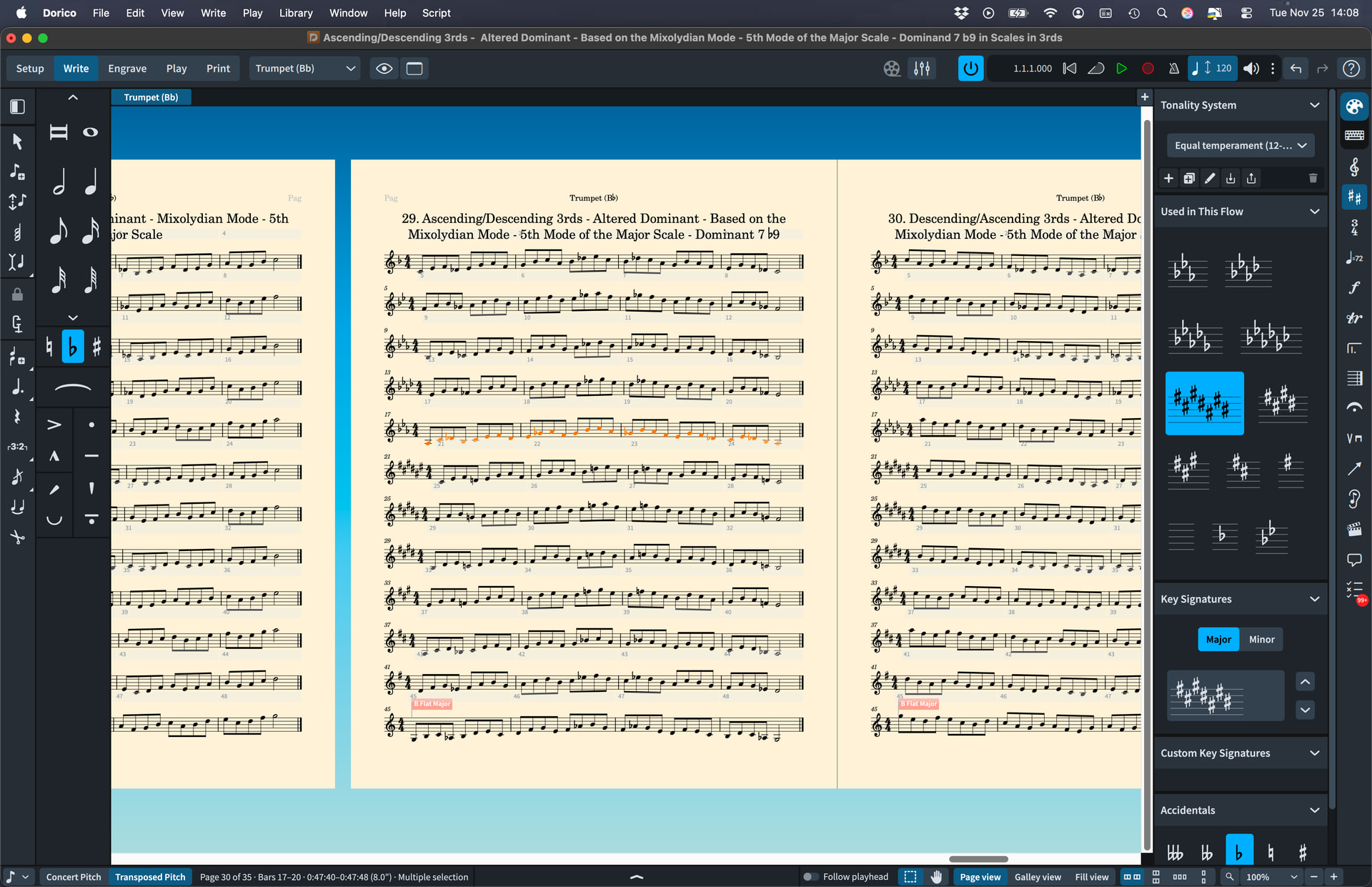
Maybe I wasn’t clear in my explanation so I’ve attached some screen shots below. What I’m trying to do is an enharmonic transposition to avoid having double flats. Dorico would not allow me to select both the key signature and notes.
The page in question is altered dominants in 3rds and to be more specific, you can see in the 1st and 2nd photos that I’m simply attempting to change the key signature from Db major to C#. No matter which method I use, the result is Eb major and the scale pattern is full of double flats. If I can transpose to C# major, the resulting scale is G#7b9 and I’ll have a few natural signs and no double anything.
The next image reflects transposing the notes down a diminished 2nd.
After transposing the notes I don’t have any accidentals but it’s stupid to expect a student to jump back and forth between the key signature and accidentals written across the entire staff. It’s useable but absolutely not what I want. I tried again to set the key signature to C# major but it refused to change. Then I transposed the notes down another diminished 2nd to get sharps and tried yet again to set the key signature to C# major but it refused to change from Eb major/C minor.
I’m sure that I’m doing something wrong but maybe I’m not. It seems to me that telling Dorico to do “X” means that Dorico does “X” whether or not the application thinks that is the correct thing to do. I’m smart enough to know exactly what I want to accomplish.
Grrrrrrr…….
Help??
Kerry
Well I don’t know what you are doing, but I am able to select the notes on those bars, and with command/control+click to add the key signature to the selection (you can also select those four bars with the System Track, and the key signature will be selected as well- with a blue selection), and then transpose to C# without any issue. Here a screenshot of it, and a Dorico file: you can try on it.
Dorico file example:
transposition.dorico (1.4 MB)
And here a video with the workflow:
2 Likes