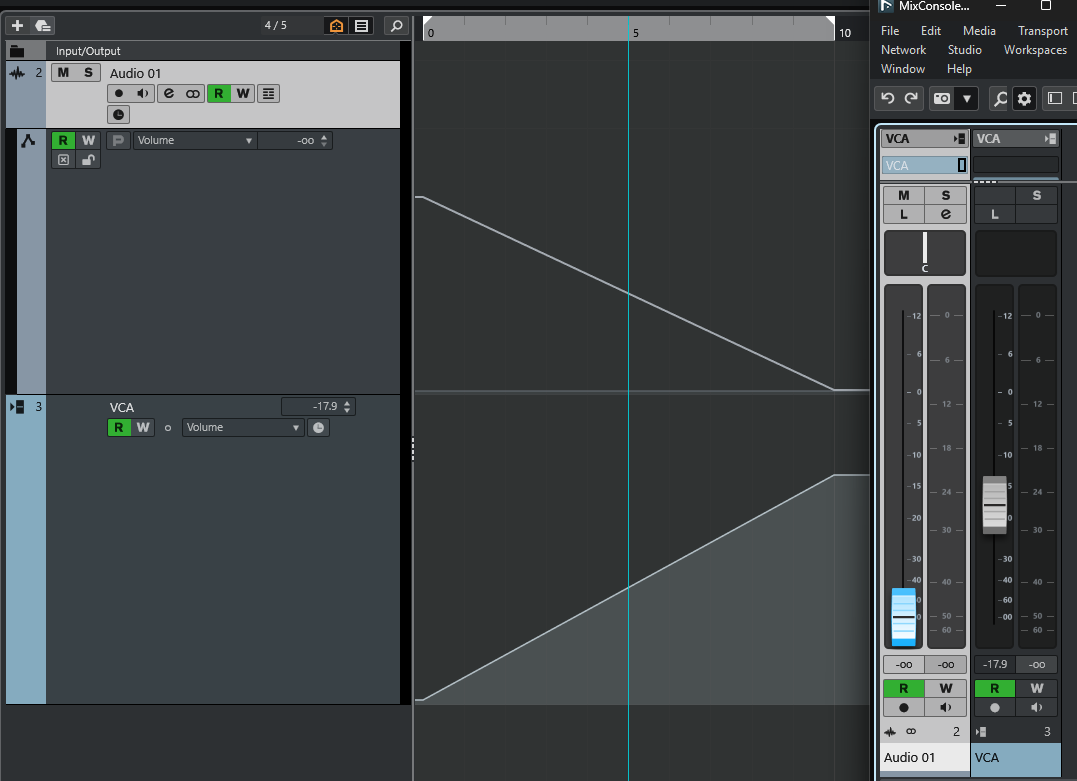
Based on what another user told me I looked into a couple of use-cases where VCA and connected track-behavior seems to be wrong.
The basic function according to the manual is:

(I believe this should probably always be adds, and never subtracts, because of how math works. (+ - = -, ++ = +) Let me know if that assumption is wrong.)
Issue example #1 - repro:
- create an output bus with a metering plugin on it. Create an audio track with test generator on it and route it to the output, and a VCA track. In my example at the output bus the signal measures -10dBFS.
- create two automation points on the audio track and the VCA track each, make them 6 seconds apart from each other. Lower the second point on the audio track to -oo, lower the first point on the VCA track to -oo. This way they work “against each other”.
- notice the output level as you locate within the range where automation happens. It will read -10dBFS at the start and slowly drop to -oo, because this is what the audio track output level does.
- connect the audio track to the VCA track. The level will now read -oo regardless of where you are located. This seems to make sense.
- Make a bezier curve on the VCA. Notice the level on the meter, notice the resulting automation curve on the audio track. Here at 3 seconds into the fades, first with a tiny movement of the VCA curve, second with a deeper move, but bezier in both cases:
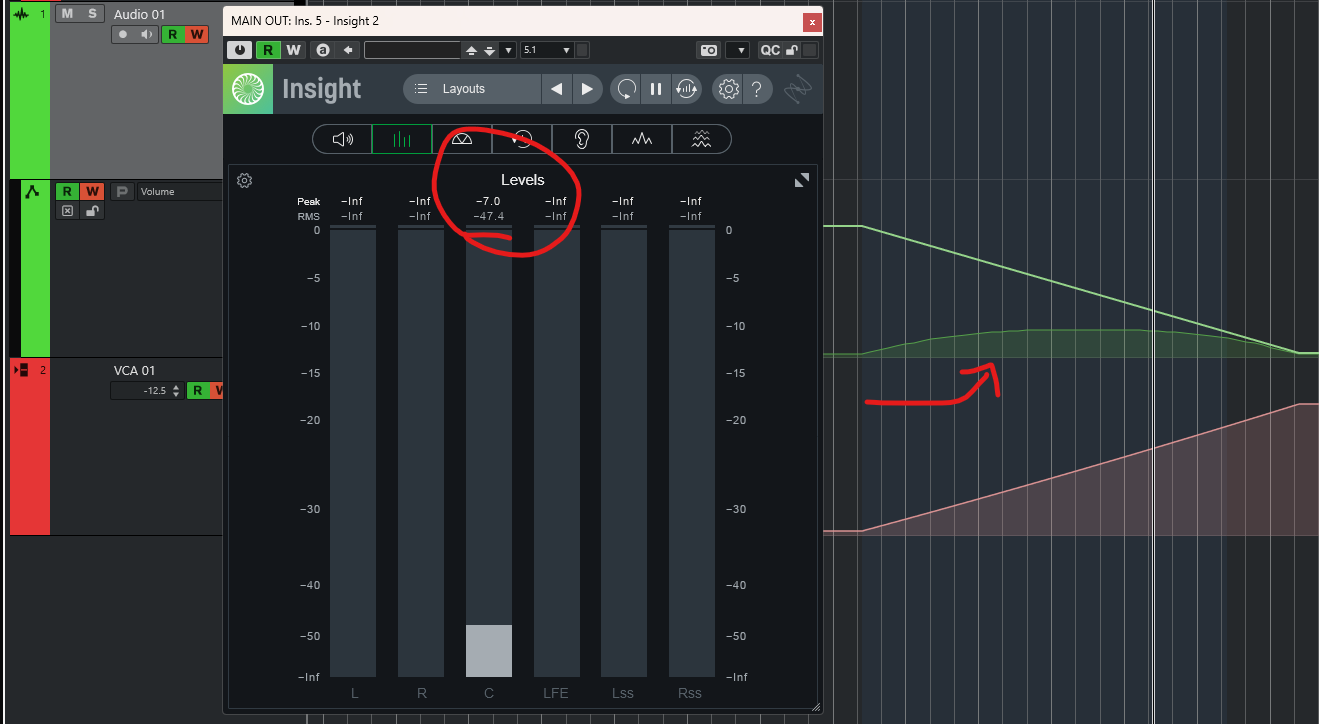

Intuitively it seems both cases should yield -oo. If the VCA adds an offset to the audio tracks level then adding a lower negative value you should mean an ever lower resulting audio track value. Imagine the maximum allowable value is 100 and the VCA is at -50, the result should be -50 when added together. If the VCA is at -70 the result should be at -30. And if the Audio track started at -50 the result should be 0 in both cases, not increase in the second. It should bottom-out at -oo.
This seem like a clear error.
The next one is weirder…
Issue example #2 - repro:
- As before, create an output bus with a metering plugin on it. Create an audio track with test generator on it and route it to the output, and a VCA track. In my example at the output bus the signal measures -10dBFS.
- create two automation points on the VCA track, make them 6 seconds apart from each other. Lower the second point to -oo.
- create two automation points on the Audio track, make them 3 seconds apart from each other. Lower the second point to -10.
- Place the playback head slightly after the second point. Here is my reading:
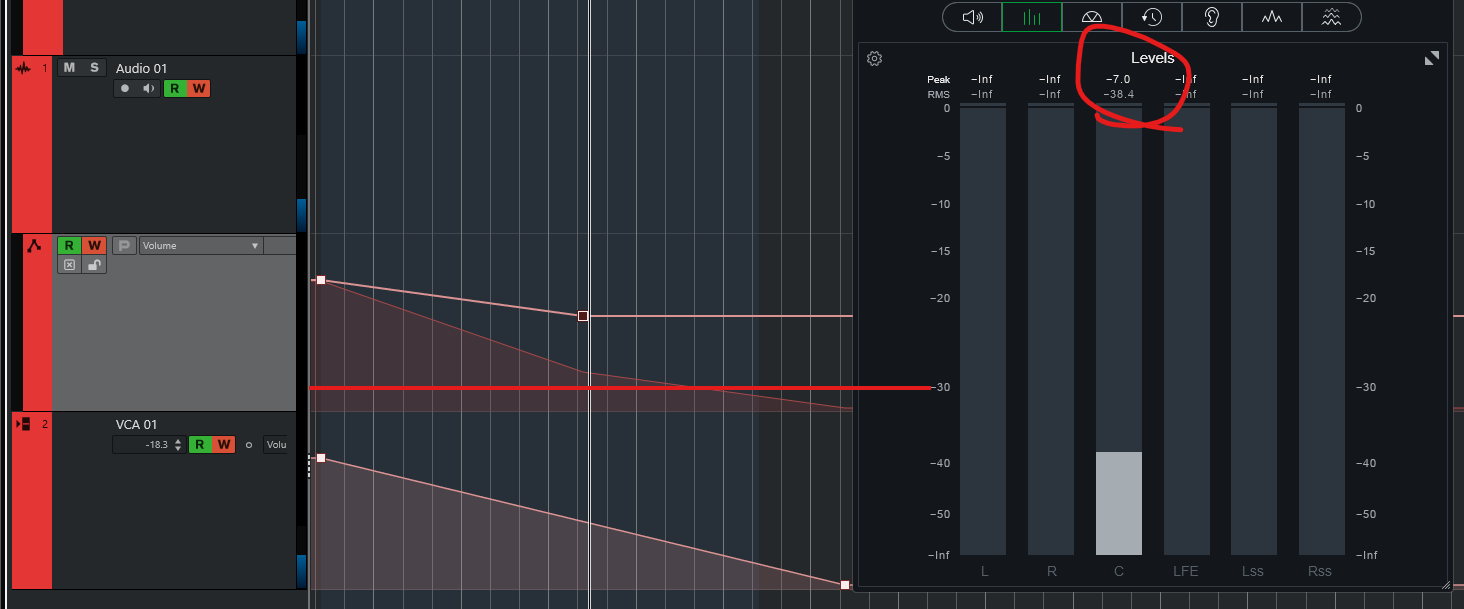
The horizontal red line is for reference.
- Move the second automation point (at -10) back to the previous point. Notice how the resulting automation line rises, along with the output level:

As you can see the resulting line - at the same point where the playback head is located - is now higher, along with the output level.
But as the manual states the VCA value should be added to the original track’s value, and in both of the above cases, at where we are located, that audio track value is -10dBFS.
Am I missing something or is the above just wrong?
More, stranger weirdness - Continue from where we were above:
- Click on the flat automation line on the audio track before the playback head and verify the new automation point is -10dBFS. Output value is the same.
- Click on the flat automation line on the audio track after the playback head and verify the new automation point is -10dBFS. Output value is the same.

- Use the “undo” function to undo step 7. Look:

Hey, just for poughkeepsie and giggles;
- Hit “redo” to get that second automation point back:
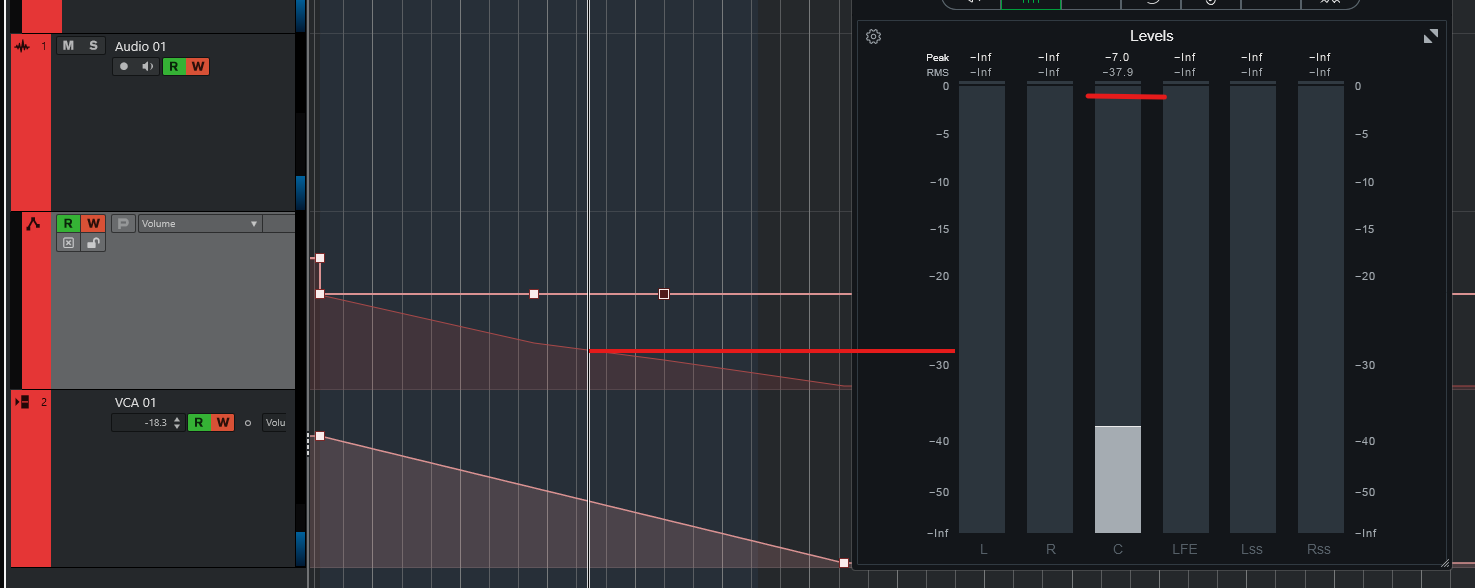
So here we have 5 cases where my audio track’s fader is at -10dBFS, my playback head is parked at the exact same spot, and my output values are -38.5, -34, -34, -38.5, -38,
Please tell me I’ve been smoking too much cocaine while eating mushrooms, and now I’m both dumber than usual and hallucinating.