I have just come across a strange issue with Dorico’s mixer. The mixer strips for the audio channels, that come from VEP, are completely dead. The faders have no effect and Inserts and Sends likewise. The sound from VEP seems to get routed directly to the Master, bipassing the mixer.
Am I missing something obvious, or is this a bug in the latest version?
No new bug I’m aware of. Acknowledging that things happen, but I was using it pretty much at the same minute you posted. You checked your unused faders and routing? It won’t go straight to master, so something unused/ hidden is my bet. If you want to give us screenshot of your routing in vep, and Dorico we might have a suggestion or two.
1 Like
Is it just one project that is affected? Have you tried reapplying your Playback Template?
1 Like
By default, when you create a new instance in VEP, it creates a bus and routes all the VSTs you add to the bus. That bus returns the signal to Dorico, so Dorico is only showing a signal on the one fader where it sees a signal and the others do nothing.
Here’s an instance where I want to use a bus, and Dorico will only see the OUT 1 / OUT 2 stereo channel.
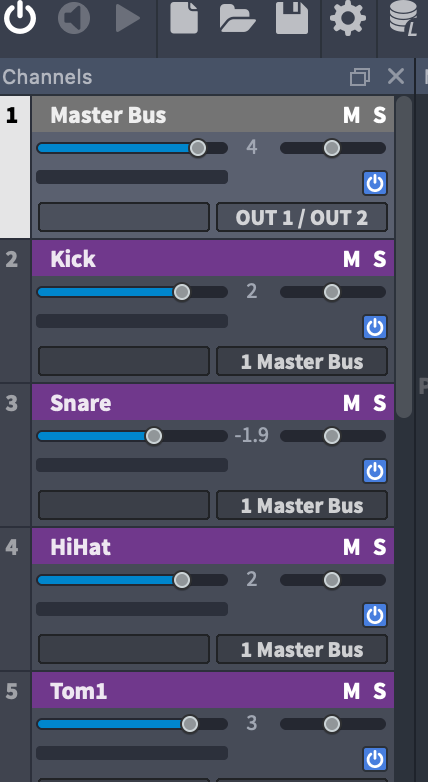
If I don’t use a bus, then I assign outputs to each VST and Dorico will see them all in the mixer:

Is it possible you have the sounds going to a bus rather than individually back to Dorico?
1 Like
This exact description here makes me think they are hidden under the “unused” tab, which is an issue I discovered only after getting into VEP and NPPE multi-channel modes - I would see audio passing to the master, but mysteriously it appeared to bypass all the channels because I couldn’t see any other meters moving. It wasn’t until clicking “unused” that I would discover them, and they are often hiding under names such as OUT 1/2 etc. When you click that tab are you able to spot the passing audio you’re looking for?
1 Like
As it turns out, they were indeed hidden among the unused channels.
But look at this screenshot:

Why on earth are the channels, that are actually in use marked as unused and not named, whereas the named channels are not in use but marked as being in use? That is so weird and unintuitive.
I have 7 instances in VEP. They are not all presently maxed out with audio return channels, but this could become the case in the future. Just imagine using a couple of handfuls of instruments scattered across all 7 instances. I could potentially be forced to enable up to 112 channels in Dorico, of which only a small fraction are actually in use, the rest are just dead space. A horrible mess.
I really whish the developers would allow us to manually assign an audio channel to each instrument and save this in the Endpoint Configuration. Right now Dorico seems to assume that midi channel X goes to audio channel X, which is a false assumption. So, dear developer team, please take this as a feature request.
Thank you everybody for your valuable input. Much appreciated  . Case closed.
3 Likes
As explained by @dspreadbury in numerous other threads…
Yeah, it’s very frustrating. This is why I am calling for user ability to override this function, to right-click a track and mark it as used or visible, and to remove unused tracks which are not being used any longer. Also will be great to be able to re-sort tracks since between NP, NPPE, and VEP, they tend to get completely out of order from actual instrument order which gets very confusing. Dorico’s current mixer layout is overly strict in this regard, and since it thinks it knows better, it actually has no clue that half the channels I am using are hidden, and many which I am not remain visible and take up space!
2 Likes
If you are already in VEP, just use that mixer. It’s much more powerful than Dorico’s and you can then just send a stereo pair back per instance. That’s the way I do it with 100+ channels in VEP summed to 5 stereo pairs in Dorico. I also make sure the endpoint is fixed at 1 channel.
2 Likes
Nope. VEP is set-and-forget. If I begin to mess about with faders in VEP, what is fine in one project will be out of whack in another. That is a definite no go.
Fair enough. Then may I suggest limiting the number of channels per instance in the endpoint to only those you explicitly send to Dorico. That should clean up Dorico’s mixer a bit.
I’d love to do that, but when I use the last 4 out of 15 channels, I just can’t do that, and I can’t rearrange the channels in VEP because that would just move the problem to when I use some of the other channels. That’s why I ask for the ability to manually assign channels to instruments (and disable the ones, you don’t use, like the way Cubase handles Rack instruments).
1 Like
I’m not sure if Nickie uses MIR as well, but I myself have been at a crossroads with my implementation of NotePerformer, VEP-based libraries, and MIR, for a fairly similar reasons, where I can’t exclusively use the VEP mixer as I would prefer to. The primary reason being, since NotePerformer doesn’t work or route into VEP’s mixer, if I want to see all my instruments living in the same room together, I have to add them together within Dorico’s mixer and work from there. I’ve learned that you can have two separate room instances (Dorico + VEP), but it’s not possible to merge them as one.
This is a long way of saying I also don’t use the VEP mixer as mentioned (like Nickie, I set and forget), preferring to keep everything consolidated under one roof and one mixer panel. But Dorico’s mixer is rather inflexible, so either workflow is paved with difficulties (for now)!
1 Like
No, I don’t use MIR, but I do apply other reverb plugins in Dorico because reverb is also project specific and therefore does not belong in VEP. And if I were to use NP side by side with VEP I, like Wing, would be forced to tie them together reverb-wise in Dorico.
1 Like
Oh yes, combining any FX, sends, space templates, and more are another good reason to remain in one mixing environment too!
1 Like