This stuff can get deep as we all know. I am looking for simplicity here.
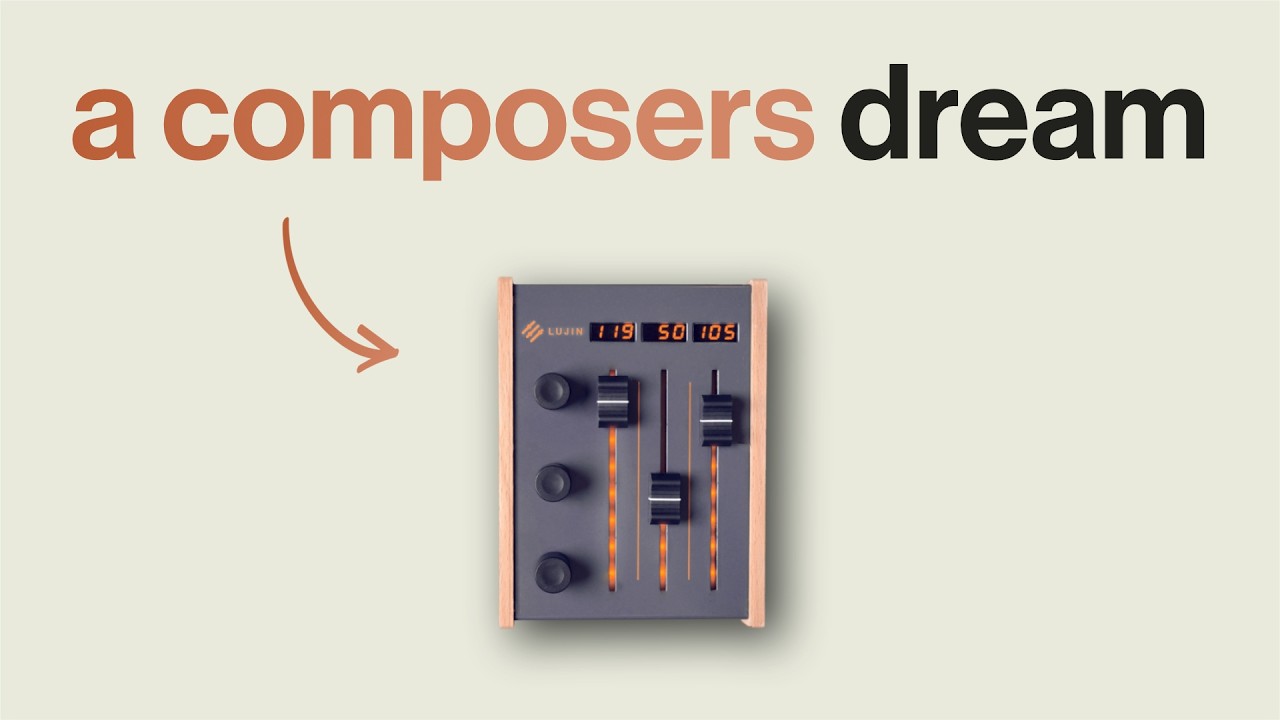
Imagine you have a simple controller, in my case three faders, and they already have a MIDI Remote surface.
I want to assign a new virtual knob, from say a VST3 effect -call it verb.
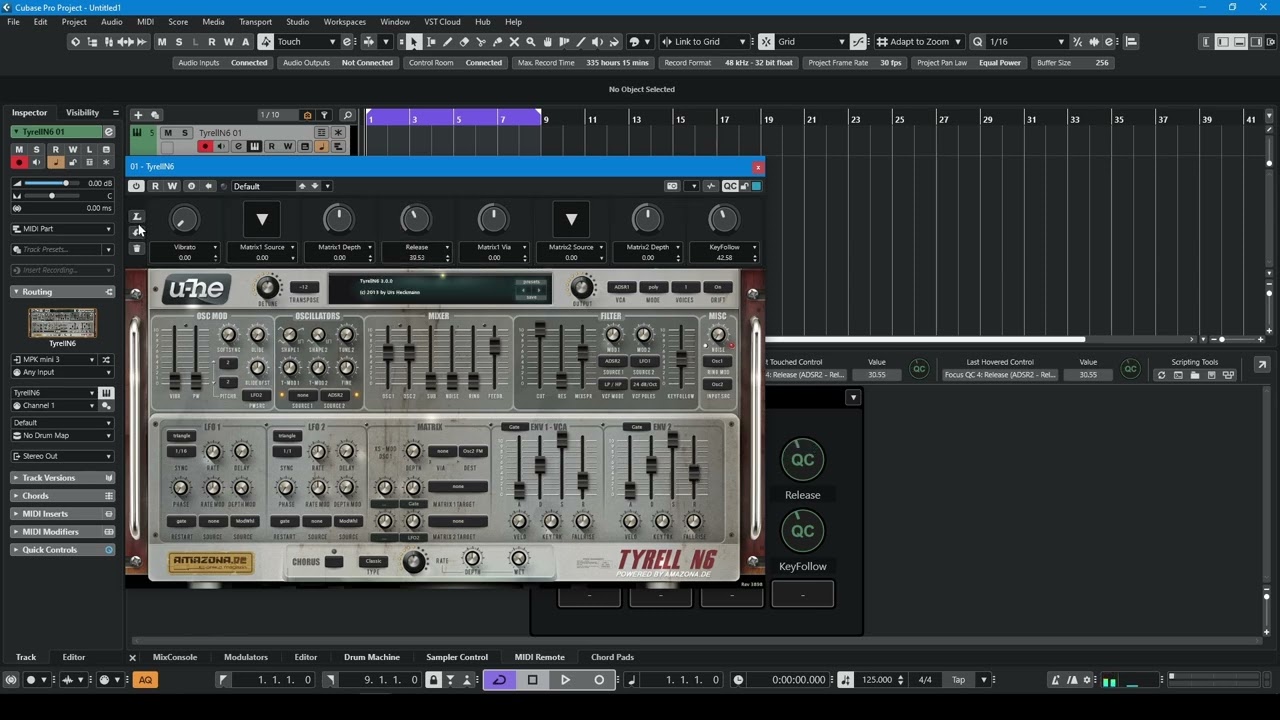
The quickest way I have found, is to open the MIDI Mapping page, which is cunningly hidden in the MIDI Remote page and looks like this:
Next, select the left top pane (which should have your controller surface showing), move a physical fader, then hop over to the right pane and move the appropriate dial of teh VST.
A new entry appears in the bottom pane, detailing the mapping.
If you wish you can repeat this process for other dials and physical faders.
You can then save your preset in the lower pane, probably calling it after the VST3 you have just mapped.
This process involves no so called “quick controls”, but seems fast.
The fastest way is to assign the AI Knob function to one of your hardware fader. Then you can just mouse hover over the parameter and you are ready to control it.
I got this half working, I can control Cubase functions like cubase Inspector pan using my physical and hovering, but not the VST3 parameters of a VST or effect.
In Midi Remote, you can assign either 3 Quick Controls or 3 Focus Quick Controls to the 3 faders.
But that’s a bit limited.
According to the website, however, the controller is designed more as a ‘pure’ CC controller.
This means that with string or orchestra libraries, you can use controllers such as CC1, CC11, CC7 or CC21 to control the recording of dynamics and modulation in a MIDI track.
The Midi Remote cannot do this, as it does not output ‘pure’ MIDI data.
My tip:
If you want to use it to control libraries, delete the Midi Remote and use the AMC as a ‘normal’ MIDI controller to generate ‘pure’ CCs. MIDI Learn will then work with it as well.
I have my 8 rotary knobs setup as the 8 focus QC’s
Any software control I want assigned to a hardwear knob I Just right click on the software control and there is the option needed.
It literally takes seconds.
First thank you guys, it seems we are divided in opinion- a good thing:
I want to redefine my criteria and add in Automation.
Quest: The quickest way to use a physical fader to control and/or automation, on the fly.
It’s permissible if the set up takes a while, but in operation, which method is quickest?
Example: You have some new rocket synth and you want to control it’s ‘Dan Dare’ knob - on the spot.
Logically, there must be one method that rules them all!
So many answers, pointing different ways!
Martin’s idea of “Focus” quick controls, does not work here with third party VSTs. This is essential. The idea of a Focus Quick control is a great one though.
Manual:
“Focus Quick Controls are focus-dependent quick controls. This means that the active window focus determines which parameters respond to your MIDI controller.
Focus Quick Controls are the most versatile form of quick controls. You can set them up in the Functions Browser of the MIDI Remote Mapping Assistant.” Pg 1024.
and….. if they worked that would be what I seek. They do not seem to support some 3rd part apps CC, or automation. I would love to be proved wrong here.
It really depends on whether the Rocket Synth is a one trick pony and its Dan Dare parameter is there permanently, for each preset, ooor whether Rocket Synth is a plug-in like HALion or Kontakt, where you have sub-instruments, like “Solid Booster”, where Dan Dare has been replaced with a "Once it goes it goes!” button, or “Capsule”, where Dan Dare has been replaced with “3-axis rotation”.
For the first case scenario, that applies perfectly to Retrologue 2 for example, you can use the MIDI Remote, and assign your knobs to Selected Track’s → Instrument → Parameters. So that no matter which Retrologue 2 Preset you load, and no matter how many instances of Retrologue 2 you have in the project, as long as you have the Retrologue 2 track of choice selected, you are always controlling OSC 1 Volume for example, or Cut-off. And as long as you have Automation Write enabled on the track, you are writing automation when using your knobs.
For the second case scenario, it gets more difficult. Quick Controls are the best bet, because each sub-instrument and preset uses different parameters. The most interesting ones are connected to Quick Controls. (Depending on the preset, they could be more than 8, and live on a number of pages.) Now, I don’t really remember if it’s possible to go RCE-diving and see if QCs are in the list of parameters - they probably are - but if they are there, that’s the path I would try to take:
Knob → MIDI Remote → Parameters tied to QCs.
And then quickly change which Quick Control controls what from inside the plug-in if the defaults don’t serve me.
Thanks for a genuine reply, which has gone over my head (again)and is not in the least simple. The more I ask, the more lost I feel. No idea what RCE diving is.
The question is what is the simplest way to control parameters of all types on the fly, using physical controllers.
Perhaps there is no quick way at all.
I shall devote today to going down this list and trying them all.
It’s that simple, exactly as you formulate it. Through MIDI Remote, you declare:
This knob, controls this parameter.
The difficult part is to realize that you don’t need to make the assignment every time. It’s all abstract. It takes time to set up, but it will work from then on.
It strongly depends on the Instruments or plug-ins you use, and if they reveal their parameters to Cubase. If they do, it’s worth it to invest some time and do it. If the plug-ins don’t reveal their parameters to Cubase and offer their own methods to assign CCs, it’s more difficult to make a permanent setup and have automation be written on the track.
So, I think it would be a good place to start if you just mentioned the instruments that interest you the most, so that we can see how to approach the whole situation. It’s tough to speak theoretically about the matter and have it make sense.
Over years I have built up 11 tb of instruments. At the moment I am trying to get my synths under control. Deep learning them. I have about 100 synths - which is not unusual. I have Steinberg synths, Native Instrument Synths, Zebra, Omni, Many third party synths, Sonokinetika, Soundiron, Spitfire. This excludes all my effects.
Rant: It should not be a battle. The knobs should just work, we all have a kind of Stockholm Syndrome about this, believing all these complications, Studio Set up, MIDI remotes, three kinds of so called Quick Controls, two sets of MIDI, and a vast amount of automation, Ai knobs that do not work with third party or automation and settings tjhat cancel each other out without telling you. Steinberg needs to shield us from this and provide one universal hover over solution for CCs, third party CCs and automation. It’s such a mess [Rant over].
Again set-up your hardware knops or faders as focus quick controls using the script editor. (You only need to do this once)
Whatever VST instrument or effect (Steinberg or 3rd party) will map to these 8 quick controls.
Your 8 quick control options show on the top of every VST (click QC) and each QC has a learn function. Push the the L and move the software control you want mapped.
It’s so easy and so quick.
You seem to be creating a problem that doesn’t exist. It’s not a mess it’s a great system. Steinberg doesn’t need to change or sort out anything.
That feature has limited success working with Cubase stock plugins as well. Newer plugins tend to only have some parameters respond to the AI knob or no parameters work. Nektar’s own version of the AI knob has better compatibility than Steinberg’s at this point.
I have had some moderate success. I have managed to set up one fader so that if it hovers over a quick control revealed in some of my VSTs at the top, then they are activatable (is gthis a word) by the physical fader.
I have been trying to use the fader over the knobs/faders on the virtual GUI. This is not working here with the 3rd party VSTs I have tried.
A second attempt.
An ideal setup for you would be:
Use the AMC purely as a CC MIDI controller rather than as a MIDI remote.
This means you can then use the AMC with Spitfire libraries or other Kontakt libraries and assign CC1, CC11, CC21 etc. as ‘MIDI’.
For other VST synths that don’t work properly with Quick Controls, you can also assign these 3 faders ‘classically’ via MIDI Learn.
Now here’s the ideal scenario:
If you have another controller, ideally one with 8 faders or knobs or even both, I’d try setting up these faders and/or knobs as a MIDI Remote.
You can then assign these to the Focus Quick Controls or Track Quick Controls, and you’ll be fully equipped for all scenarios regarding automation and controller assignment.
Here you can see the purpose and use of controllers such as those from AMC.
The advantage of these controllers is that you don’t need any software to change CC assignments. It’s all done via the device itself. If you’re working with a MIDI remote, this could actually be a hindrance and may lead to errors if you change CC data on the fly via the device.