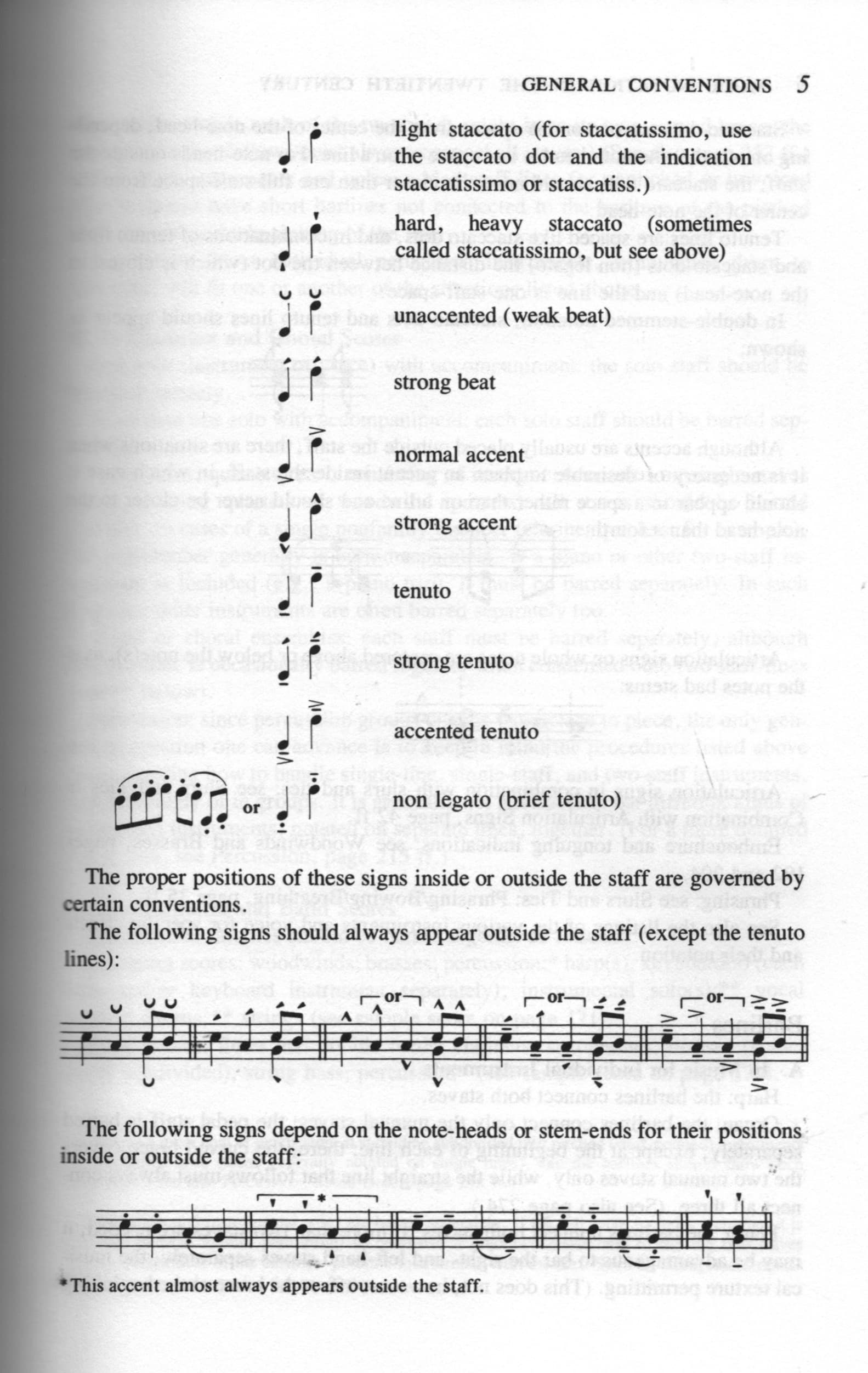
I have asked a dozen+ musicians and professional composers (including symphony performers at the highest level, and professional jazz players) and no one knows what this “U” mark means. I have never seen it in a score either. I replaced the default shortcut which applies it, because it sounds like I will never use it.
It has a prominent space in the panel, so it would be assumed to be popular use. While other frequently used notations such as double-flat or double-sharp do not get handy icons in the panel at all.
Example of its use in a score? What musical time period, what genre, uses it?
According to Behind Bars, it was an articulation introduced by Schoenberg. You can find these markings in his Op. 25 Suite for Piano, ex. in the Gigue movement, as well a few other works here and there. Not very commonly used, though.
Created by Schoenberg and inspired from poetics, but used by period instruments baroque players extensively as a pencil marking. Stressed and unstressed is an important part of playing this music properly, especially in common time when the strong part of a phrase can start mid-bar instead of at the beginning of a bar… Here’s a measure taken from Handel’s Op. 6 no. 2 where stressed and unstressed markings make an appearance in the first violins. These are markings from a well-to-do recording artist. We use these a lot as short-hand. They’ve been co-opted from Schoenberg, of all people! Having said that, they are rarely printed.
Just adding here that I think it is bizarre to have these added as common articulations in the write panel, yet not have them available as playback techniques.
I do create my own but they won’t be connected to the stressed or unstressed articulation symbols in the write mode panel. They are already there so it seems a waste not to have them connect to an actual playback technique.
But the customs will not appear on the panel. Which revisits the original question: “‘U’ has a prominent space in the panel, so it would be assumed to be popular use.” But it is not used in score except very rarely. So why is it in the panel so prominently?
I have a hypothesis why this rare (and recommended by composition professors “don’t use that symbol, it is confusing”) is in the panel. Has to do with marketing priorities over user functionality priorities i.e. “Lets put that fancy symbol there even if it is never used by users, so that Dorico looks modern and progressive when started up.”
It’s given the same “prominence” as all the other articulations, because it’s an articulation.
There are all kinds of people making all kinds of music, and you can bet that someone would be complaining if the symbols they wanted were considered “second class” and tucked away in some other panel. Your hypothesis is spurious.
It is also a powerful tool in didactic notation. Beginners (and not only them, in fact) on many instruments can use some kind of reminder to play certain notes in a phrase softly. On the piano, some students tend to hammer each single note into the keys with considerable force, and such a symbol can remind them to move their wrist slightly upwards while playing a particular note. In some way, it can be thought of as an equivalent to the upbow for instruments other than strings.
I don’t see any way to adjust the dynamic level of the Unstressed symbol in Playback Options > Note Dynamics. Is this an oversight? I would like to make it slightly less unstressed than it is set for. If not through the interface (except by adding some additional dynamic marking and possibly hide it), is there any other way (like in some XML file)? At any rate, it would be more usable as a playback resource if it’s level could be tweaked.
As someone who has just ventured into Playback Techniques for the first time, am I correct in thinking that one can only choose from existing techniques listing, that in the Dynamics area (into which Unstressed_user would fit) one cannot tell Dorico to play at 75% of the existing volume: one has to select one of the existing, fixed dynamics?
“Dynamics area,” “Unstressed_user,” what do you mean? Are you talking about a workaround of duplicating the unstressed symbol as user-defined notation?
I am saying I do not see how one could create a playback technique to realize the unstressed articulation since (AFAIK) Dorico does not provide a way to tell the playback engine to play a note at (for example) 75% of the surrounding volume.
First create a playback technique as an attribute, then you’ll need to create a playing technique using the Unstressed above/below glyphs, link the playback technique.
In the expression map, use the volume dynamic and lower the max to desired taste.