Dorico on Linux?

Sure, but we’ve already established that Dorico doesn’t run on Linux so that doesn’t particularly help me.

Laptops can often be tricky blighters and I don’t think of them as typical PCs (though the architecture is of course the same). I’ve assembled a lot of desktop computers over the years and have everything from the very quick to the very capacious (a 64TB file server). The latter and a machine that’s used for rendering/encoding and the like are on all day every day. Everything I have just works. I don’t think I’ve ever missed a deadline because of a misbehaving desktop (a couple of printers have deserved to be smashed) and of course if a part fails or is slowing the system, one can simply replace that part.

I remember swapping faulty parts out of (Windows) desktops, but we’re talking a long time ago. The typical PC, right now, is a laptop.


With respect, the idea that one can’t expect to meet deadlines because one uses a PC and Windows is ridiculous. Does Rob Tuley not have to meet deadlines? Are the majority of computers used in business not PCs running Windows?

You need to try a well-specified desktop. I suspect you’ll find little to complain about (nearly all PCs are fast nowadays). The whole point is that you can get exactly the specification you want (it always amazes me that so many Mac users put up with keyboards and mice that I could never recommend). By all means enjoy using your Mac but do be informed about PCs and Windows.

I can’t remember the last time I bought (let alone built) a desktop computer, and I’ve certainly needed a laptop for at least the past 10 years. I’ve turned around Dorico projects on cruise ships and transatlantic flights, and I occasionally work copying jobs where I need to be able to handle last-minute changes from a studio control room.
For these purposes, I need a laptop that works. For these purposes, a desktop is out of the question.

I’m not arguing that one can’t meet deadlines running Windows machines; I’m pointing out that my recent experience was a poor one. And as to business computers, yes - see the penultimate paragraph of my previous message. What proportion of business computers are maintained by the user?

Anyway, I’ve taken this thread far off track. Sorry about that, and over and out.

It’s only reasonable if it’s reasoned. It may well be. It might not be. So much rubbish is talked about operating systems by people who have apparently not used them in twenty years.

I personally think this is a wonderful time: nearly all the things I’ve ever been able to do in the twenty-five years plus I’ve been using computers, can now be done easily and with almost any hardware.

Pianoleo, your mistake was buying anything made by HP. It used to be a high quality quality electronics company while they still remembered they were founded by Bill Hewlett and Dave Packard, but not any more.

FWIW I was on the receiving end of a complete scam by HP where they agreed a contract to supply hundreds of high end workstations, with several years maintenance, knowing full well that the kit they were supplying was going to be discontinued within a few weeks and no proprietary spare parts would be available.

We settled that one out of court in the end - after they agree to pay us more than $10m damages. Since then they have gone steadily DOWN hill, not back up.

Or from people who are too young to know what computing used to be like.

I used to be in a job where I was using about a dozen different operating systems every day. And not systems that were close to indistinguishable, like MacOS 10.x and Windows 10, but things that were completely different from each other, running on completely incompatible hardware (IBM S/370, Motorola CPUs, HP proprietary CPUs, PowerPCs, Intel CPUs, three or four different incompatible Cray hardware systems, etc…)

Nope, I meant “because it’s a badge”.

Just like people used to buy other brands of computers because they had “Intel Inside” badges on them. It’s not just an Apple thing.

Not for the users in this forum though, going by the signatures. Most people seem to be running quite high-powered desktops. The point I’ve been trying to make is that such systems offer immense power, great ease, and will generally take some beating.

I can only reiterate that I’m not hostile towards any other operating system.

Definitely for the users in this forum. One of the major gripes with Dorico’s licensing system is that it requires a dongle for multi-computer use. Industry standard for notation software has generally been licenses for two machines (sans dongle), because a tremendously common work setup (dare I say, probably the most common setup) for composers/engravers/and-the-like is a desktop at home and a laptop that they can take to and from the office, on the commute, on trips, and anywhere else they may need to pull up a notation project.

In fact, I’d even wager that if a user on this forum or in the F or S userbase only has one machine, more likely than not, even if by only a small margin, it’s a laptop. A wager, granted, but this has been my experience for over a decade in university music departments, and I’d be tremendously surprised if it wasn’t a trend across the rest of the country and other countries as well.

You didn’t say cloud, so clearly we are all luddites. :slight_smile:

Nonsense…

Unless you have numbers to back up that claim of linux users ‘objecting to large corporations’…and expecting ‘software to be free’…

No, not everyone using unix expects quality software to be ‘free’. It is often a good reason to install and use it, but it stands to reason that if one needs to work in formats that involve licensing and fees, he might have pay to get software to do it. When doing large scale commercial deployments of anything unix for the PC/Portable/Workstation, it’s never free either…sysops that can do it do need to get paid, and they often have to spend a considerable amount of time/money customizing things.

Anecdotally speaking…I know plenty of people who use some flavor of unix who have no aversion to corporations of any size, nor commercial software.

Just a few of the reasons why:

  1. Making older hardware useful. The newer Windows and Apple both refuse to install on older hardware quite often; thus, you must roll back MANY versions, and in the least, that puts you in a horrible position security wise (if they can still go online at all with XP or older Mac OSes).

Linux often has pretty up to date apps that can work with kernels compatible/optimized for very old hardware.

  1. Workstations for educational/academic requirements. It’s not uncommon for me to need some kind of unix, in at least a VM for a number research and collaboration efforts in the field of education. It’s also quite common for virtual classrooms and learning management systems to be hosted in some unix environment. We have to format and test our presentations to work there!

  2. Home servers that also can be used as a workstation when desired.

  3. Just to be familiar with the OS should the need arise on the professional front. If one works near tech, it’s always good to be somewhat familiar with how things work in different OSes, and the options available. If your profession has anything to do with system and/or curriculum analysis, one needs to know their way around the stuff.

(As always: I am german, so please forgive my eventually wrong wording!)

Oh my, this discussion went ways since I last checked it! I already decided to switch to Linux and did not take the full turn to Dorico even before that decision, so I do not visit the forum so often…

There are many points I would wish to answer to, but quite a few of them are already covered by snakeeyes021. Thank you for that!

Ok, some points of view from me:

Drivers & Thorvalds:
If you have the source code, you can compile drivers and integrate it into the kernel for your hardware yourself (when you are competent enough to, sadly, I am not). Of course, this is not the case for the driver of the dongle, since it is closed source.

Get Dorico running:
I installed a dongle protected software for my wife, who is a doctor. It went without any flaws in VirtualBox after I found a linux driver for named dongle (I was killed when I found the driver though - obviously … On the other hand many scientists do their work more or less with Linux only, so perhaps it’s not so much out of the question. Maybe Steinberg is not as professional as many scientists are? :wink:).
That’s the case since VirtualBox depends on the drivers which are responsible for the hardware used with Linux. Perhaps it only would be necessary to have a driver for the eLicenser? Snakeeyes, did you just install Dorico SE on a windows machine in Virtual Box with software eLicenser or was it more complicated than this? I would try on my machine as well and share my experiences…

Getting work done:
Many Linux flavours nowadays are totally capable of getting work done. Try something like Linux Mint - works like a charm, even on my wifes notebook. Since she is a doctor, she can’t longer use Windows in Germany for her work since it is against european laws now (transferring data to the US and nobody knows what exactly). And she got accustomed to Linux Mint immediately. In german universities Linux is quite more often used to get things done than Windows…

Closed vs. open source:
There are only some Linux users left who are totally opposed to closed source - the systemd vs. V-Init discussion is part of that. Systemd is deeply integrated with debian nowadays even though it was originally developed by RedHat, which is a company. Ubuntu is wholly developed by Canonical, which is a company as well, earning their living with support for big business users. The debian community was the one which was opposed to all commercial stuff beforehand, but that has changed. They acknowledge that you might need proprietary drivers for instance when you just have to work with a Linux machine.

Development for several branches:
I would go with the opinion to just develop Dorico for debian, which is probably the most common underlying architecture for Linux distros. (eg Ubuntu and Linux Mint are based on debian). Someone who was bound to Windows or Mac just would be glad to have ANY distro supported by Steinberg when she/he wants to switch to Linux, I guess.

MS Office:
There is an interesting relation: MS Office had around the eighteenfold number of bugs in a given period than LibreOffice in the same time. Simultaneously, the code of a simple document is the same amount bigger with MS than with Libre - just to protect the proprietary code. And we all know that some bugs with Windows are used with US agencies to spy on people using Windows and are never made public by MS. Something to think about…
For all people who need the exact equivalent to an old MS file: try OnlyOffice, that’s way better than LibreOffice (for this sole purpose, functionality is restricted in comparison).

Musicians and Linux:
There are some distros who are developed to facilitate things for musicians. Someone mentioned Ubuntu Studio - that’s just one of them (did not work well with my audio hardware, though). Two other distros are Virage Linux and AVLinux, the first based on Devuan (a fork which does not want to use systemd), the second based on debian. My hardware works without flaws on both distros, the handling is easier with AVLinux.
All three distros would be covered by Dorico for debian…

ASIO and VST:
Snakeeyes already mentioned it: there are Linux versions of ASIO and VST available already, and they work well. Obviously, I could not try all existing hardware and plugins, but they work with the stuff I like to work with.

WINE:
I am not really deep in Linux stuff by now, but to me it seems not so easy to get windows hardware protected software running in Wine. Snakeeyes does support this opinion with his (or her?) expertise, yet I will try if and when I have time to do so.

An important point for all citizens of the EU:
I am a music teacher at a public school. Since the privacy shield is ruled by the European court not to be sufficient to guarantee the standard of European law (EU-SVGO), all US american giants are skating on thin ice in Europe. (Facebook already was threatened with a huge fine by the responsible Irish court, and many european IT pros exult about the “threat” by “Mark” to leave Europe alone - just follow the forum on heise.de for example).
Personally, when I follow the law, I can not use Windows, android, google, iOS, apple, facebook, whatsapp, instagram, amazon cloud, onedrive, MS office, chrome, and so on together with work related use of my PC any longer (luckily, I just used android, google and Microsoft so far, and for me it is easy to avoid them, using Linux, LineageOS and startpage or DuckDuckGo). As a teacher, I have to work with people related data all the time, and minors are considered deserving special protection…
So, Steinberg - as a german daughter of Yamaha sfaik nowadays - has to change something if they want to make business in european schools and institutions further on - if and when the law is taken serious. Yet we all know that it is not in many, many cases, especially with big money (or the sitting POTUS as the most prominent example :wink:).

Especially in the EU, things are really quite messy right now…

Last not least I would appreciate it very much when there would be a Linux version of Dorico available in the near future. Since then I have to work with MuseScore, SCORE (which runs without any problems in VirtualBox) and perhaps LilyPond, which I definitely want to try. Dorico probably has lost already one paying customer with me not supporting Linux :wink: (‘Probably’ because I will run a dual boot system for notation presumably till I am totally used to Linux - yet without any network access for the Windows part of it).

Edit:
Making use of “old” hardware with Linux:
I forgot about this. Regarding our mother of all problems, the climate change, it is not acceptable any longer that newer versions of software or OSs only run on new hardware. I don’t think I have to explain that any further…
(Of course, Dorico in itself is not acceptable regarding this since it does not run with reasonable speed on - say - five year old hardware…)

Hey wolframd, so, it has been some time since I made any progress with this, so unfortunately, I can’t give every configuration detail (perhaps in the next week or so, I can try to sort that all out again and post it here so that you or anybody that wants to try their hand can), but yes, I was running VirtualBox on a Windows host machine with Ubuntu Budgie (with all of the Ubuntu Studio packages installed) as the guest OS. I do have an actual Ubuntu Budgie partition on one of my hard drives, but I wanted to be able to wipe and re-wipe a whole bunch while I tried sorting things out, so that’s why I was doing everything in VirtualBox. Much easier to not accidentally delete an important partition that way, lol.

In Ubuntu, I was using both PlayOnLinux AND Winetricks to get Dorico configured in WINE. Ultimately, it required installing each element of Dorico separately (E-Licenser Control Center, Dorico itself, sound libraries, etc.), since whatever unzipping and autorunning of install files happens on Windows didn’t seem to work on Linux. The E-Licenser Control Center only works with soft licenses because WINE doesn’t support USB dongles (or USB devices at all for that matter? Though I do believe I saw on a WINE forum that this may be something they want to address in the near future, maybe in the next couple of years?), so I was using a soft license for Dorico SE. Technically speaking though, Dorico SE and Dorico Pro are the same program, so if I had used a Pro license or somehow magically gotten my dongle to work, Dorico Pro would have been running instead of SE (which is why I thought once I could get performance a little better, I’d try things with a 30 day trial Pro license and/or on an actual Linux install instead of in VirtualBox). Unfortunately, like I said, I never really got much more done on that front, so again, I’ll try to piece together what progress I did manage to make and pass it along to everyone here. But of course, do let me know if you had any other questions in the meantime :wink:

P.S. I am quite flattered that my profile pic makes me potentially mistakable for a she, but he is generally fine, and, by the same token, if calling a grown adult by a username they came up with in sixth grade is at all awkward, Matt works just as well too :wink:

From the composition forums/chats I am on, I am really not seeing any big call from people to have Dorico running on Linux. Professionals who already use Dorico want certain functions added to Dorico to perfect it, while amateurs want MuseScore to get better so that they don’t have to pay for Dorico. I feel as though the bigger issue for the Dorico developers is that, with MuseScore, lots of young people think that notation software is something that you can do great, or perfectly, for free, so why should they bother to pay for it? Professionals understand the time lost when parts supplied to performers are unclear, but most of the younger amateur composers do not, and do not understand why the parts that they are engraving in MuseScore following its horrific default spacing are not adequate.

English hasn’t yet found a word to describe “people whose hobby is playing with computer notation software”.

“Musician” or “composer” isn’t really applicable in many cases, IMO.

Oh, English has plenty of descriptive words for this; unfortunately, most of them aren’t appropriate for a public forum.
On the other hand, German, with its composites of many words stuck together, might lend itself to this. An off-topic example might be:
Kraftfahrzeugsinnenausstattungsneugeruchsgenuss (enjoying the smell of a new car) or
Luftfahrtorigaminiedergeschlagenheit (the sense of despondence when your diligently-folded paper airplane falls immediately to the floor).
Perhaps a German forum contributor could come up with something descriptively appropriate.

Considering my difficulties with spelling growing up, I guess I’m lucky I wasn’t required to pass spelling tests in a German school. :open_mouth:

Sure, we have “technology enthusiasts”. Primarily consumers through technology…they all have half a dozen devices that come with at least one OEM OS (ironically, devices that cost more if you get one without an included OS than if you just take the OS with it). Without them, Dorico Pro would probably cost more like 10k per license instead of half a k. Also, without them, there wouldn’t be much of a market to sell scores and printed music…seeing as amateur or semi-professional performing groups outnumber the ‘serious full time’ musicians hundreds to one.

By far, the majority of people I know who use some form of unix on a regular basis are somehow tied in with academia. They are either some sort of professor/teacher/facilitator/lecturer/researcher, or they are a student (or all of the above).

It’s not so much a freebie, when you pay outlandish tuition prices to learn stuff, and are given assignments to complete. It’s a long way from being ‘free stuff’…and far more often than not, it’s a much bigger pain in the butt than just rolling with Windows, Mac, Android, or iOS.

The few people I know who would be interested in running Dorico on unix are far from ‘hobbyists looking for freebies’. They are more like the sorts of people who will cut a check for half a dozen $12,000 sousaphones this year, ten score of $600 band uniforms next year, and are paying up to 20k per year for ‘permission’ to use the scores and parts being spit out by these machines. They’re more likely to have access to a $4k or more image setter. After blowing the 50k budget on instruments/music/licenses and rights to perform scores, etc…they still have to lay out the bucks for millions of dollars worth liability insurance, and a heck of a lot of bus company bills.

They do have departments of people who ‘make scores’, or in the least, analyze, select, prepare, and construct drill and such to go with them. Even if they don’t get to spend much personal time in those departments plugging scores…they DO practice with the tools as much as possible (meh, hobbyists?), they do have influence over them (might even be on the committee that grades their thesis and picks apart their scores), and they do CARE about the abilities, trends, and long range success of the entire music industry, and lives of every individual who is part of it (large or small).

Why do they want it to work with unix? It’s not as much ‘want it’ as ‘it’d be nice if they could integrate all their computer needs into a single system and OS’.

Analysis of all sorts of documents and relational databases, eCourses, eLearning management, paperless distribution, interactive virtual class room abilities, more affordable mass deployment options, and more. Ten months of their year is spent working with people either face to face, or through electronic research and server environments. Everything they require works under some flavor of unix, massively deployed, with the exception of a decent, fully featured, well supported, pro music suite. Of course they tend to have their own personal opinions…but the stuff that ultimately gets published are qualitative and quantitative reports of what everyone else says and thinks.

Our colleagues in other fields of research other than music can do it all on the same system. At worst, they might have to run it in a virtual machine spit out by a central server, or over some sort of vpn like dumb terminal, but we music people are still stuck in a situation where even those don’t work. Setting up a music lab for teaching is insanely complicated, and many times more expensive than other disciplines.

Other fields in academia can mass deploy a 75 workstation lab from a central server. It’s a bit more complicated if you want to build a music computer lab. Using bridges and back-ends are fine (Virtual Machines), but for the best music suites, those don’t work either at this time.

Oh well…not ‘musicians’…not ‘composers’…not serious. Just ‘hobbiests’ looking for free software…who cares?

Having said all that…running Windows or Mac as primary, and the unix stuff in VM is a good start. The main problem with this approach, is that each workstation has to be built and maintained one by one. Mass deployment is a bit of a mess, and while it’s not impossible…it is more complicated and expensive than it should be.

It would be absolutely great to have a Linux version of Dorico!

Perhaps this is why porting Dorico to Linux is difficult or impractical.
I’ve often thought of investigating Linux for home use, but such thoughts as these dissuade me.

Some of the language in the video may not be “child-friendly.”

Oh hey folks, *in my best Clopin from Disney’s Hunchback of Notre Dame voice* here it is, the moment you’ve been waiting for: I’ve gotten Dorico running decently well in Linux. I’ve actually used it a bit on and off for the past several months, and while I’m not ready to delete my Windows partition just yet, I suppose I probably could if I really wanted to.

I’ve got a video and a small (read: not small at all) writeup. Unfortunately, I made the video without narrating it, and there are a few omissions , and it’s a bit older, so the writeup, verbose as it is, is going to be more correct and current. Writeup is below and video will be all the way at the bottom, so… here we go.


Firstly, I should mention these instructions should be sufficient for folks who are somewhat computer savvy but who may have little experience with Linux (though hopefully more than zero). I’ll put a TL;DR with just the highlights for those who are at home in Linux. You’d still want to read items 0 and 11, the prerequisites and caveats/issues.

These instructions are for Manjaro Linux, which is based on Arch. So they should work great on Arch, but I feel like I’ve run into problems on Ubuntu before. The process is nearly the same, and I think the program installs, but I’m pretty sure it crashes when you try to run it (at least that was the case a year ago). If you feel like trying it though, it should just be step 2 that needs adjusting (use “apt install” instead of “pacman -Sy”, assuming winetricks and playonlinux are in the official repos, which I can’t imagine they’re not).

  1. Prerequisites:

I really only use NotePerformer, and this tutorial is somehow insufficient to install all the proper files for Halion, but I’m not quite sure how, so if you want playback, you’ll need NotePerformer (we’ll still need to try to install Halion though even though it won’t work, because it has some necessary audio engine files… at least I think).

The other thing you’ll need is a spare license (grab a Dorico SE license or a Dorico Pro trial license). USB dongles don’t work yet with Wine (or, if they do, I don’t know how to make them work). I’m fairly certain it’s only as of Wine 6.0 that there’s been any work done on this front, and I don’t think it’s fully completed yet. I could certainly be wrong though, and if so and you’re able to figure out how to use a dongle, I’m all ears.

  1. Get your installation files.

I have had zero luck getting the Steinberg Download Assistant to run with Wine, so you’ll need to grab Dorico installation files here: Dorico 3.5 Updates and Downloads | Steinberg

You want the Application Installer and the Sounds Installer. Download those and extract the Halion zip file (that’s the Sounds Installer). Either keep these in your downloads folder or put them somewhere of your choosing (but for these instructions, I’ll assume they’re in Downloads).

  1. Install wine, winetricks and playonlinux.

In a terminal: sudo pacman -Sy wine winetricks playonlinux

(in ubuntu/debian/etc., you should enable the winehq repo and install the wine-development branch from there. Instructions per distro here: Download - WineHQ Wiki)

  1. Set up a wineprefix.

The easiest way if you’ve never done this before is through PlayOnLinux, so run that (on first running or at some point in this process, it may ask you to install wine_mono or something like that. I don’t think it matters what you say, because I’m pretty sure we won’t be using it, but I’ve always just said yes anyways). On the main screen, click Configure. From there, in the left panel, there should be a button that says “new.” Click that, and set up a new 64-bit wineprefix. Name it whatever you want; I always call mine Dorico. It will ask you what version of wine to use. If you’ve followed along exactly so far, there should only be one in the list, so just click next (actually, on my particular system, because of the dark theme, I don’t think the text is showing up correctly, and it looks like there are no versions of Wine installed. I think this is just how it appears though and not how it is, so if you see this, you likely should be able to just click next without a problem. If there is a problem though, you may not have installed Wine correctly, so give that another go and try again).

  1. Extract the individual installers from the main installer file.

In your wineprefix you just set up, run Dorico_3.5.12_Installer_win.exe. To do that, the easiest way is to again use PlayOnLinux. If you still have the Configure window opened, select your prefix from the left panel. In the main part of the window there are several tabs. Click Miscellaneous. Click “Run a .exe file in this virtual drive.” Navigate to wherever you downloaded the Dorico installer file (Dorico_3.5.12_Installer_win.exe) and run that. This will start “installing.” Just as the progress bar is nearly full, hit “Pause.” This .exe file is not actually an installer unto itself, but it contains several smaller individual installer files. For some reason, while Windows would just extract each of these installer files and then run them, Wine will only extract them; no running, so we need to run them manually. But to make matters trickier, it extracts them to a temp folder that is deleted nearly instantly, so what we’re doing here is pausing the operation just after all the important stuff has been extracted but before the folder can be deleted so that we can grab the individual installers in order to run them ourselves. I’ve never needed to try this operation more than once, but on the off-chance you mess it up, you can always just repeat this step and try it again.

So navigate to the temp folder. It should be here: /home/<your_user_name>/.PlayOnLinux/wineprefix/<your_wineprefix_name>/drive_c/users/<your_user_name>/Temp/RarSFX0/Dorico/

There should be a Dorico3.5.msi file and a “Additional Content” folder. Grab both of those and put them somewhere safe (after you’ve put them somewhere safe, you can close the installer window; we don’t need it anymore. You can also close PlayOnLinux’s Configure window too).
I’ve never run into any issues with the files not being all there, but just in case, Dorico3.5.msi should be 252,915,712 bytes, and Additional Content should be 352,468,329 bytes, with 11 files, 7 sub-folders.

  1. Install some libraries and the main Dorico program.

On the main PlayOnLinux window, click Install.
At the bottom of the new window, click “Install a non-listed program.”
Follow the prompts until you see a window that gives you the option to “Install a program in a new virtual drive” or “Edit or update an existing application.” Pick “Edit or update…”
There won’t be any programs listed, so click the checkbox for “Show virtual drives.”
You should see Dorico and default, with Dorico highlited. If so, click next.
There should be three options on the next page. The last one should say “Install some libraries.” Click that. Click next.
Click “64 bits windows installation,” then next.

Click the checkboxes for:

POL_Install_corefonts (these are your standard Windows fonts like Times New Roman, Arial, etc.)

POL_Install_FontSmoothRGB (this makes it so that items rendered with fonts can be displayed between pixels, a must when Dorico is, for instance, zoomed out. Without it, on zooming out, anything rendered with fonts, like noteheads and a whole host of other items would be horribly misaligned with items drawn natively by Dorico, like staff lines and stems and so forth. If you want to see what this looks like, check out the Youtube video at the bottom of this; I hadn’t figured this step out yet when I recorded),

and

POL_Install_vcrun2019 (this is the Microsoft Visual C++ 2019 redistributable. Dorico needs it to run).

Click next and those will install.

The next screen will ask you for a program installation file. Browse to your Dorico3.5.msi. This will run the normal Dorico installer. Go through this like normal. After the Windows installer is done, PlayOnLinux will ask you if you want to make a shortcut. Click yes and find the Dorico3.5 in the list. Click that and then next. Name it whatever you want (I suggest Dorico 3.5 Pro or something to that effect). This will make shortcuts both in the PlayOnLinux Menu and on your Desktop. I usually delete the desktop ones, at least after this whole process is finished. After you’ve made that shortcut, tell it you don’t have any more shortcuts to make and finish clicking through the prompts.

  1. Install .NET Framework 4.8

In a terminal: WINEPREFIX=/home/<your_user_name>/.PlayOnLinux/wineprefix/<your_wineprefix_name>/ winetricks -f dotnet48

This will install the Microsoft .NET Framework 4.8. Normally, Wine has mono (I mentioned this near the top), which is supposed to make this unnecessary, but it doesn’t work for Dorico, so we have to install this.

The -f flag will tell winetricks to force the installation, because it thinks that dotnet48 is broken in the current version of Wine. That may be true, but it installs and we need it, so we’re gonna go with it. During the installation, you may get error messages from time to time. Just click ok or whatever to move on. These are unimportant.

Also, during this installation, winetricks will install both .NET 4.0 and 4.8 as the former is a prerequisite for the latter, at least that’s true in Wine. You’ll need to agree to Microsoft’s terms and click through these installers like any other.

  1. Install the eLicenser Control Center

In PlayOnLinux, install eLCC in the same wineprefix as Dorico (follow the same procedure you used to install Dorico). The file is in that “Additional Content” folder. Inside there it’s in the “Copy Protection Driver” folder. Should be the only file in there.

When you first install the eLCC, a soft licenser will not be created (which like I pointed out, we’ll need, since we can’t use a dongle).

Edit:
In a previous version of this post, I had concluded that this next step was unnecessary. Turns out I was mistaken. So…

Grab the eLicenser Control Installation Helper (specifically, the xp-vista version, available in this Steinberg help article: https://helpcenter.steinberg.de/hc/en-us/articles/206632670-Soft-eLicenser-virtual-license-container-is-missing).

In PlayOnLinux from the Configure screen, in the Miscellaneous tab, once again choose “Run a .exe file in this virtual drive.” Run the installation helper .exe file. It will tell you that a newer version is installed and that it won’t install; that’s ok, it’s done what we want. There should now be a soft licenser. If you want to check to make sure that worked, you can definitely take a second at this point to run the eLCC and make sure it’s peachy. You should see a soft licenser and you should be able to run maintenance tasks (though tell it not to run those at startup; I’ll talk more about this later).

In my previous version of the post, I said that merely reinstalling eLCC would do the trick. It will not. You need to use the installation helper (and it needs to be the xp-vista version; the other one doesn’t run).

  1. Install the rest

All in PlayOnLinux (same 64-bit wineprefix as before, and using the same procedure as before. I don’t know if each of these is necessary, but I figured the more I got installed, the better the program would run):

Install ASIO driver (Additional Content/Installer/Generic_Lower_Latency_ASIO_Driver_64bit.msi)

Install Library Manager (Additional Content/Installer/LibraryManager.msi)

Install HalionSonicSE.msi (we unzipped this early on in the process; just open the Halion folder that we unzipped and it should be right in there).

Install NotePerformer

  1. Activate license

Open the eLicenser Control Center. Tell it not to perform maintenance tasks at startup. Only run those if there’s a problem (because sometimes, when this window pops up at startup, it thinks there’s a problem when there’s not, and if you run them right away from here while it thinks there’s this imaginary problem, it won’t be able to fix it, so we’ll want to disable those and close that window and only ever run them after the program is up and running. This way, this imaginary problem will have time to sort itself out before you try to fix it).

Activate your license like normal.

  1. Run Dorico and configure some things

N.B. Sometimes when I’ve installed this all, Dorico will not run without the eLicenser also running. So be aware of that and start that first if you’ve got a problem.

When the Steinberg Hub pops up, go to Edit > Device Setup, then Device Control Panel. From here, uncheck the “Allow ASIO host application to take exclusive control…”. When you do that, you should see a Pulseaudio device pop up in the output port list. Yay, now you have sound. Click ok.

Still with the Hub open, go to Edit > Preferences and then Play. Set the default playback template to NotePerformer. Click apply then exit. Now you can use Dorico like normal. Mostly.

  1. Addendum. A few issues:

Like I mentioned, you may have to have the eLicense Control Center running for Dorico to work.

When opening a document with a playback template or VSTs other than NotePerformer, Dorico will yell at you that there’s missing files. Just close those notifications and any other windows (there’s a big reverb window that always pops up when I open saved projects… wonder what that’s about…). Then in the document, change the playback template to NotePerformer and you should be good to go (that’s in the Play menu with the Play tab active).

Speaking of NotePerformer, its VST window has graphical issues, so it’s very nearly unusable (Arne, if you’re reading this, wink wink). As long as you’re happy with the default assignments and everything, you’re good though.

Performance is not… uh, well, it’s not full speed. It’s definitely usable (and I’m on two 5-7 year old computers, one of which was really not that great even when it was new, and even that one is bearable), but it could definitely stand to be improved. Scrolling a large document makes me feel like I’m using Finale again… :rofl:

Uh… yeah… sooo… that’s it. Hit me up with any questions, and enjoy!


TL;DR for experts:

  1. Download Dorico Application Installer and Sound Installer from here: Dorico 3.5 Updates and Downloads | Steinberg
  2. Install wine, winetricks, and playonlinux.
  3. Create a 64-bit wineprefix. I do all these next few steps through #7 in PlayOnLinux (which will set the prefix to run in Windows 7 compatibility mode, so if you do it somewhere other than PlayOnLinux, make sure you do the same).
  4. Run Dorico_3.5.12_Installer_win.exe in that prefix.
  5. Pause the extraction just before it completes and grab the extracted files from this (or the appropriate) temporary directory: <the_path_to_your_wineprefix>/drive_c/users/<your_user_name>/Temp/RarSFX0/Dorico/ (you should have a Dorico 3.5.msi and an “Additional Content” folder.)
  6. In the same prefix, install corefonts, fontsmoothrgb, and vcrun2019. I’m not sure what the file names for these are if you’re not using PlayOnLinux.
  7. Install Dorico3.5.msi.
  8. Using winetricks (this one has to be done in winetricks), force an installation of dotnet48. So, in a terminal (adjust your wineprefix path as necessary): WINEPREFIX=/home/<your_user_name>/.PlayOnLinux/wineprefix/<your_wineprefix_name>/ winetricks -f dotnet48
  9. Install the eLicenser Control Center.
  10. Install the xp-vista version of the eLicenser Control Installation helper, available here: https://helpcenter.steinberg.de/hc/en-us/articles/206632670-Soft-eLicenser-virtual-license-container-is-missing (it will say it didn’t install, but don’t worry, it will still do what it needs to do, which is to create a soft licenser).
  11. Install the ASIO driver.
  12. Install the Library Manager.
  13. Install HalionSonicSE.msi.
  14. Install NotePerformer.
  15. Set maintenance tasks to not run at startup in eLCC.
  16. Activate a license (Dorico SE or a Pro trial).
  17. In Dorico, in the audio device control panel in device setup, tell Dorico it can’t take exclusive control of the sound device.
  18. Set NotePerformer as the default playback template.
  19. Enjoy!


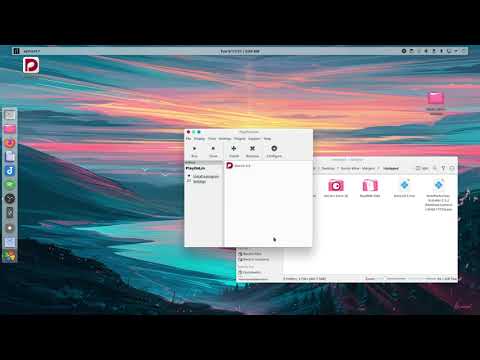
    P.S. Here’s the Youtube vid:

One or two things to note about the video:

First, I’m currently getting about equal performance on my much-less-powerful laptop than what I got in the video on my desktop, so don’t fret if the video looks not great; Wine has been updated a few times since then, so that’s possibly helped.

Secondly, while I do have all my files unzipped and extracted and ready to go, I do show how that’s done in the video, so fret not.

Third, I didn’t yet know about the subpixel font smoothing, so in the video when I install vcrun2019, I should also have installed fontsmoothrgb (and corefonts while it’s convenient).

Lastly, at the end of the video, you see me faffing about with audio. In my recent times installing this, that hasn’t been all that necessary. As long as you tell Dorico to not monopolize the sound card, it seems to just work.

Ok… I think that’s everything… probably not… but I’m going to bed now… Hit me up with questions, comments, etc.

Peace :wave: