This is really cool , just 12.5% and on my screen everything looks so much better! Thx
just wishing Nuendo had lower than 25% as well !
This is really cool , just 12.5% and on my screen everything looks so much better! Thx
just wishing Nuendo had lower than 25% as well !
Agreed, well done Steinberg!

Finally! Big hugs to the product manager and/or developer who decided that it’s finally time for this. Please tell me where I can send the beer.
So I looked for 10min - but where can I adjust the scaling  ??
??
That was hard - in the instrument main-page-options menu 
Steinberg, having a scalable Halion GUI is a big deal that many have been waiting for.  You should have had a large flashing arrow and message in the GUI showing it off for the first month or two.
At first glance it appears to scale everything in the interface, including text, controls, etc.
To others who wouldn’t know where to find the Halion scaling options right away, see picture below. Edit: This is inside Cubase 15. See posts below for stand-alone and earlier versions of Cubase
Read the release notes, which are also attached to the announcement:
New Feature – Plug-in UI scaling
You can adjust the size of the user interface from -50% to +100% in 12.5% increments. This allows you to scale the UI on native 4K monitors for better readability, for example. When using HALion/HALion Sonic in Cubase/Nuendo, the available maximum and minimum scaling factors depend on the UI Scaling value that is set for the host application. For example, if UI Scaling is set to +50% in Cubase, the plug-in can only add a maximum of +50%.
NOTE: When using Cubase 15 and higher, UI Scaling must be applied via the Function menu, which is located in the HALion/ HALion Sonic plug-in header. In this case, the Options page only displays the set UI Scaling value.
New Feature: Standalone UI Scaling
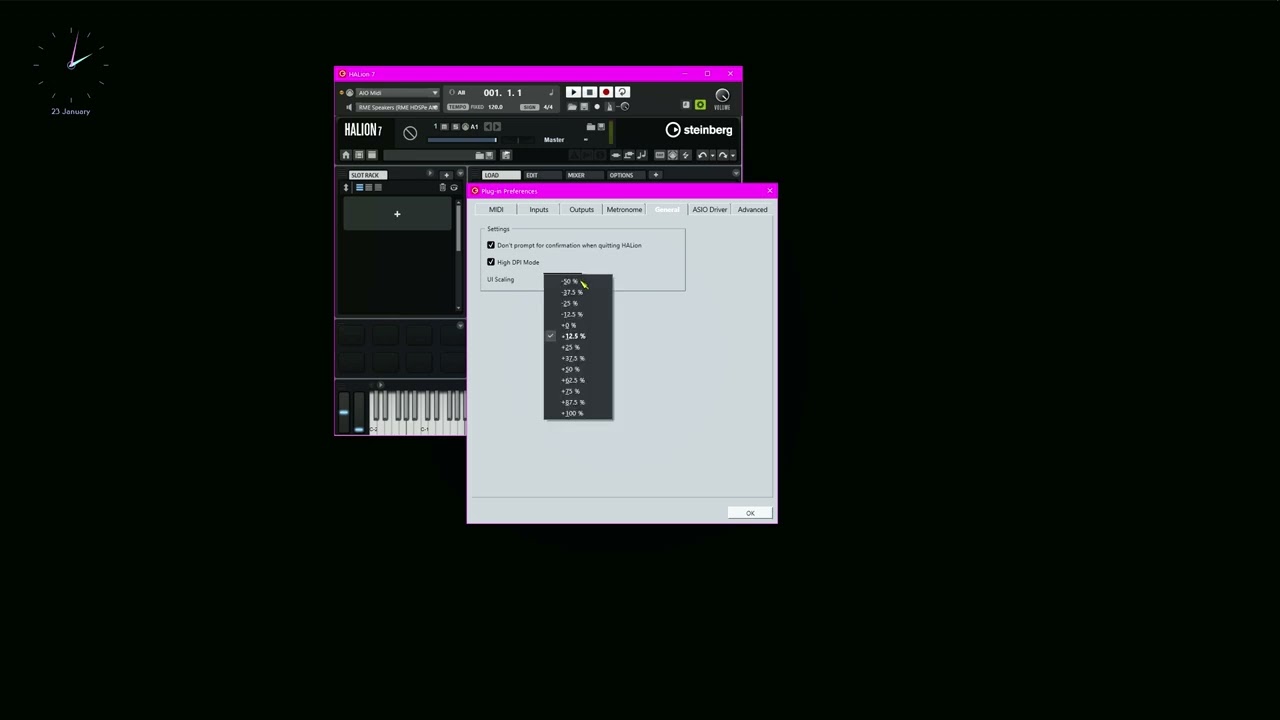
The UI Scaling option on the General page of the Plug-in Preferences dialog allows you to set the UI scaling for the standalone application. The range is the same as for the plug-in, see above.
Really cool.
I need to sell my house to buy Steinberg a beer.
I completely agree with you. I already complained about this in another post. However, despite your screenshot, I still can’t find the setting. It looks like Windows on your end. I’m on a Mac, and then there’s the question of whether it’s in the same place for standalone and plugin.
P.S. Just found out about standalone, see screenshot. Still searching for the settings in the plugin.
P.P.S. and for the plugin
Hi bigsoundsgood, after seeing your post and re-reading the info referenced by Mr Soundman above, I just edited my post to reflect that it’s showing Halion inside Cubase 15. Steinberg’s release notes show that access to UI scaling is different for 3 situations:
On the other hand…
Seems to happpen on the +/-12.5% and +/-37.5% settings only.
In my video I set it to 25% with the result that horizontal resizing is wonky but vertical resizing is OK.
Not tested within Cubase.
Either way, some bug fixing is in order.
I think it’s a great feature, and can’t wait for it to be implemented in Cubase. +25% is just too much. +12% is just right. Maybe a few more…
This is amazing especially for Artefakt Guitar
Steinberg obviously don’t think of other situations. I use HALion 7 in Reaper. The update b……s up the VST floating window. Each time I open it the window gets smaller and smaller. I’ve looked at various scaling settings in Reaper and Windows and the only way I can get HALion’s window to remain consistent is by disabling HDPI - which means it’s pretty blurry on my 4k screen. I have rolled back to 7.1.4 and HALion works as expected.
Yes, I just saw that too. Working with Artefakt Guitar is now really fun!
Version 7.1.51 has just been released …
This is quite a relief for my aging eyes (using a 42-inch 4K monitor @ 90cm)
GUI settings are a bit hard to find though, as mentioned in this thread.
Hi Peter, I can reproduce it and I created a ticket. Thank you for your report.


