

-
ok, i was able to move the “Staff Text” in “Engrave Mode,” and I’ll need to add bounding box and a white background…i think i’ll find those feaures
-
But, I added as “Staff Text” what may be better accomplished differently the text “Instrumental Introduction” (in Latvian). OK, it’s “Staff Text,” but I decided I wanted to put a carriage return between the words, so that they would be on top of each other. Also, I wouldn’t mind being able to see that text in “Write Mode,” but I only see the bottom of my 2nd “Staff Text” entry, and “Instrumentāls ievads” is nowhere to be seen
-
For the text that a can barely barely see the bottom of in Write Mode, since I can select it, are there key combos that would move the text downwards. I tried a whole bunch of combos with down arrow, and I could not get the text to budge
-
For the text I can’t see at all in Write Mode – where is it? I’ve zoomed all the way out and pretty far “in,” and I can’t find the text…is there a way to “cycle through” selections like in Photoshop/InDesign? If then I realize I’ve selected something I can’t see – how do I nudge it so that it becomes visible?

Since I can see the text in Engrave Mode, I selected “Instrumentāls ievads” and pressed Backspace(delete). Nothing happened.
I added
Instrumentāls
ievads
To the second solist’s line, and I can see the text in both Write and Engrave Modes. But I can’t seem to find the text that “shoots off the screen.”
Also, the rehearsal letter C has “shot off the screen,” so I can’t position it…
How do i edit and position these elements?
Best,
Dainis
As always, it’s easier to see exactly what’s going on if you can share a project file.
I found some workarounds late in this video. Whoooo…did I uncover a few Dorico bugs?
Best,
Dainis
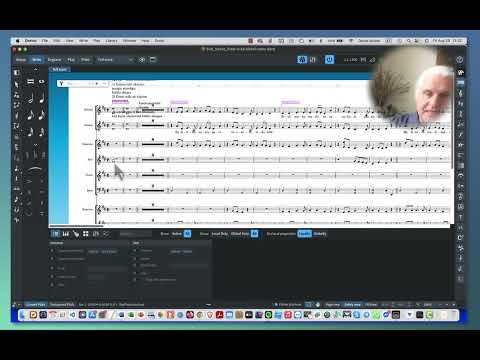
Write mode is all about entering stuff on specific staves and at specific rhythmic locations. So when you drag items they move along the rhythmic grid (they will not move to different staves). Only notes will be dragged up/down (again, only on the stave to which they belong. They will not magically hop to a different stave).
If you want to move things to different staves - you must move them (alt-N and alt-M)
Also, you are working in galley view. This is not how objects will appear on the page (to see that use Page view).
I suggest you grab a coffee and read the Dorico Concepts section of the manual. Many of the questions you ask are answered there.
I didn’t watch your entire video, but it looks to me like many of your questions would be addressed with a little more exposure to basic Dorico concepts and operation. @Janus has pointed out a few important things, namely differences between Write and Engrave modes, and between Page and Galley view in Write mode.
If you haven’t already, I would suggest working through the First Steps Guide, which will lead you through much of this.
After that, if you have specific questions, open a new thread in the forum, and people will be happy to help you.
To briefly address a few of the things I saw in the first few minutes of your video:
- You can’t move staff-attached text to a different staff by dragging it; you have to move it, as @Janus indicates
- Double-clicking an item in Engrave mode won’t let you edit it, because Engrave is all about the visual presentation; it will take you to the same item in Write mode, and double-clicking it there will let you edit it.
- Because of Dorico’s automatic collision avoidance, items placed at the same rhythmic location in a score will stack themselves; you can move them to a different rhythmic position in Write mode, or move them anywhere you want in Engrave (although they will remain attached to their original rhythmic position).
- Panels and popovers are two different ways of adding elements to your score; panels let you select from predefined items, and popovers let you add these or anything else you want. Many users tend to use the popovers, and generally open them with their keyboard shortcuts rather than the toolbar buttons.
- There’s no Text panel because text is freeform – there’s no predefined list of texts you can insert.
- Clicking a popover button is the same as invoking the popover with its keyboard shortcut – it lets you enter a new item of that type. If you want to change an existing item in the score, you can double-click it in Write mode, which generally opens the corresponding popover pre-loaded with the current value. (Try double-clicking a key signature or time signature.)
Where in the manuals would solutions to this situation be found? I could not select & move the text or the rehearsal markings:
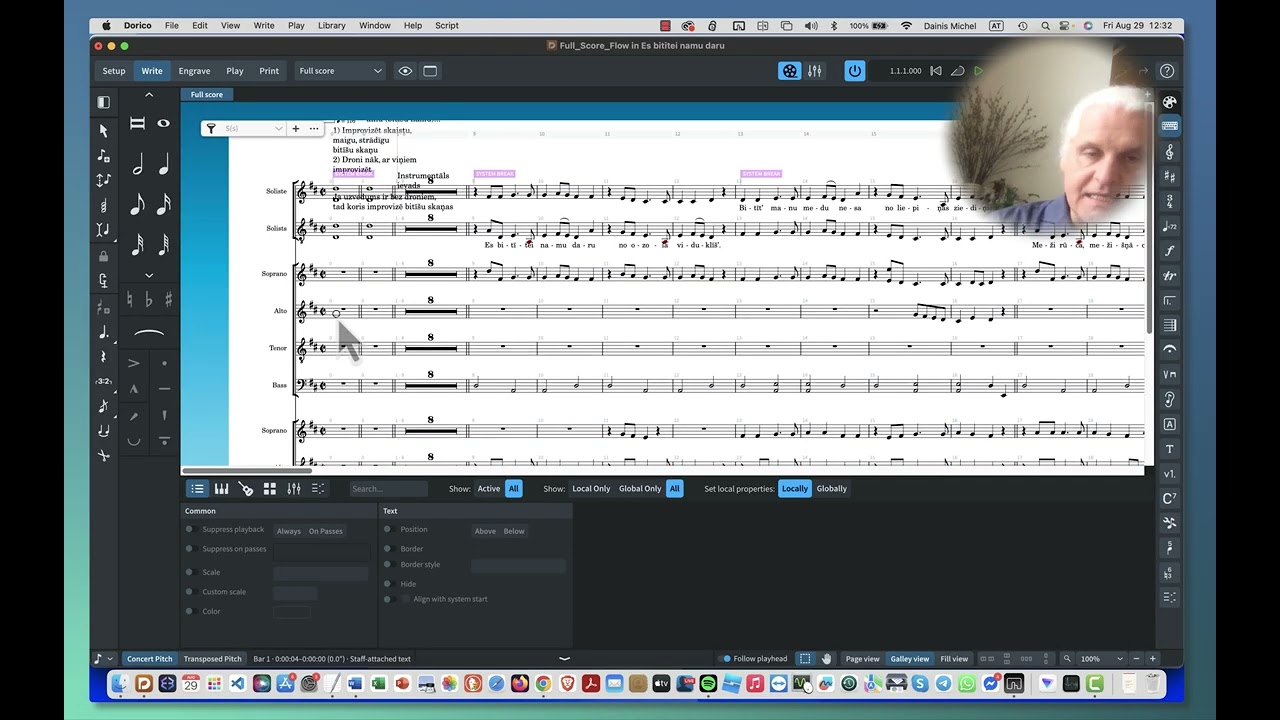
I set the video to start at one of the critical issues I was facing, with items shooting off screen and not being available for positioning. I am absolutely doing my due diligence reading the manual and forum posts. Is there a better way to find and position those items?
I am, however, also a professional end-user advocate with decades of experience in technical writing and training…I realize I have not been hired by Dorico to provide fresh eyes for their user procedures…but I have provided that kind of professional consulting in the past.
As an end-user advocate, I tend to advise that software allow multiple ways of doing the same thing – to accommodate diverse user populations. If I find flaws in the user procedures – or bugs – or areas of that would benefit from attention - it would be cool, if that were welcomed.
I’m also pretty generous with “repetition is the mother of learning” style communication.
…Going through “Dorico First Steps” and “Dorico Concepts” extra thoroughly now, but I am facing some deadlines and “just chilling with the manual” is not really, i don’t know, “immediate,” so it really is challenging to carve out the time to do so (I guess also, because in general, I get paid to analyze, improve, and train software…).
I’d say another undercurrent that plays a role for all of us is whether this investment in Dorico’s ecosystem is safe and worth it…all of a sudden I need to call my scores “projects,” modes are not musical modes, and I have to figure out what a “flow” is, in Dorico…
I’d learned all of the inside out and counter-intuitive “tricks” in Finale, one that comes to mind is “Insert Measure Stack” … uhh, did you say “stack?” …and now I’m either in Yamaha’s ecosystem, or “Steinberg’s” or “Dorico’s?”
This is my first professional scoring project using Dorico and it’s taking more time than I would like…kind of by a lot…one of the litmus tests for great software is: how quickly and intuitively – without even checking the manual - potentially with just-in-time knowledge delivery - can users accomplish their tasks?
I’m liking Dorico. “Setup, Write, Engrave” are brilliant ways of separating concerns…but i’m about to spend a couple hours buried in manuals instead of arranging…so I’d ask: please be patient with my immediate need for the program to just work intuitively and quickly – and with questions and posts that stem from that immediate need.
Again, it’s not “bad,” but I could not move those items that were off screen…
Of course it does. So did Finale when we first learned it (in spite of lots of Finale documentation). Frankly, your life story doesn’t change the fact that learning a new program with new concepts takes time and effort. There are lots of experienced, sophisticated musicians here, perhaps with more credentials that either you or I, but they also had to learn the program and did so without extensive display of their resume.
Dorico welcomes observations of things that might make work easier for its overall user base, but they ask for a simple illustration of the problem rather than suggestions how to solve it. Brevity is a courtesy to those who read every post.
What are you trying to achieve?
If you want to move items along the rhythmic grid to different musical positions - do that in Write Mode.
In Engrave you offset things from their musical position. Either by setting the offset values in the lower properties panel for precise values, or by dragging with the mouse.
If you want to move notes in Engrave, you need to use the lateral tool. And if you want to move staves, use the vertical tool…

no part of your reply is procedural or related to the procedures i showed. please keep your replies procedural or refrain from replying.
If you want to move the rehearsal mark lower, you need to be in Engrave mode to do it. It may help to select it in Write mode, as you have, and then switch to Engrave – the selection will remain.
As has been said before, in Write mode you can only move things forward or backwards according to rhythmic position. If you want to move them graphically (up/down, or side to side without changing their rhythmic position), you need to be in Engrave mode.
I can’t tell from your video exactly why the rehearsal mark positioned itself so high, although it may have to do with the text you have there. If you want an answer to that, you need to post your project file here so we can take a look at it.
i showed the workaround i found in my video – and i placed the “start viewing” at just the right point. i asked you to lay back in another thread. please do so. i have been looking at the screen for way too many hours over the last couple of weeks. my eyes are literally hurting – and i just noticed that the Dorico manual makes it very challenging to select chapters – so that i could copy those into Speechify to have read.
i don’t need or want conceptual or personality lectures and would appreciate procedural comments or none at all.
i’m currently considering that a potential bug i found. i figured out a workaround by trial and error. let’s try to keep the discussion focused on solutions and procedures…
Most of us who are here answering questions are fellow users doing this in our spare time. With all due respect, that time does not include watching lengthy videos when a brief explanation will suffice.
I watched your video long enough to ascertain that you had a rehearsal mark which appeared to have moved off screen/page and were trying to move it lower – hence my reply, which gave you a procedure for doing so (switch to Engrave mode). For that matter, @Janus’s reply made the same point, about the difference between Write and Engrave.
If you think you’ve found a bug, please describe it clearly and provide the shortest possible example for others to reproduce it. I can’t tell exactly what you think is a bug – that the rehearsal mark is positioned too high? There are a number of things that could legitimately cause that, but we can’t tell exactly what’s going on unless you post your project here.
We do welcome reports of bugs, because we’d all like to see such things fixed. Please help us understand whether what you’re seeing is actually a bug.
i’m going to define friendliness, supportiveness, and constructiveness as behaviors that facilitate: “speed to score.” we can also call those three behaviors “helpfulness.”
that would mean, if someone can’t get something done, you are more “helpful,” the faster the person can get the task done – and less helpful – if your input does not lead to the desired result/outcome in Dorico.
i realize that my video is “long,” but there are also 2x speed features and videos can be scrolled. none of the recent comments guide me (or other users) to the solution i figured out between 21:49 and 25:16 in the video i shared above (especially the general comments).
so, i now have a challenge: on the urging of the commenters on this thread, i spent a couple hours on Dorico concepts and Dorico First Steps, but I am having an issue with copying music into two voices while retaining the lyrics.
if i post that issue, comments like: “spend some time with Dorico First Steps,” won’t be considered “helpful,” if my definition of “helpfulness” is “speed to score.”
does that make sense?
in technical writing it’s called “just in time” knowledge delivery. it’s very specific to the user’s current need/task/desired outcome…yes, it’s super-challenging for software to provide just-in-time knowledge delivery, but Dorico does not do the worst job of it…
Still, I have to figure out how to get these ties to work and get the lyrics to not disappear when I have filtered out just notes and am copying those notes into a range of measures. I might not post that issue here, because I just don’t want to be told RT(F)M, dude…
I can continue harvesting the manual and plopping it into AI tools and learning by trial and error…
It looks to me like your solution was to select the rehearsal mark in Write mode and then switch to Engrave mode to reposition it. This is not a bug or a workaround – it’s how Dorico is designed to work.
I can’t tell from this what exactly you’re trying to do. Can you describe your issue more specifically, or provide an example?
…please show me in Dorico’s documentation where “text items” and “rehearsal numbers/letters” flying off of the project window and becoming either “nearly impossible” to see (just a tiny portion visible), or completely invisible, is described as “how Dorico is designed to work.”
i don’t think you’ve seen what the issue was, and your time investment would have been less than 4min.
For future reference, can i refer you to my previously mentioned definition of “helpfulness” as “speed to score?” i was looking for and would have benefitted from procedures, not generalizations…does that make sense?
If you place multiple items at a given rhythmic position, Dorico’s collision avoidance mechanism will stack them so that they don’t overlap. If you place enough of them, or if they’re tall enough, they will eventually get pushed off the page.
I’ve replicated that here, for example – a long block of text has displaced both a rehearsal mark, indicated by the dotted attachment line, and a tempo mark that you can’t see at all. (You also can’t read all the text, because there’s not enough room on the page.)

While it’s certainly not ideal, it’s a logical consequence of Dorico trying to avoid collisions. One way of addressing this is to select the text block in Engrave mode and turn off the “Avoid collisions” property. This brings the tempo mark and rehearsal mark back into view.

I believe this is the issue you were facing – although I can’t tell for sure, because you have declined repeated requests to share your project file so that we could take a look. This is what one might call “speed to solve”.
I think you were also facing an issue in selecting and then moving the rehearsal mark that had gotten pushed up. You found the solution to that, which a couple of us also suggested. I was just clarifying that the inability to reposition the mark in Write mode after you had selected it was by design.
If I’ve misunderstood the issue, then please clearly state what it is.
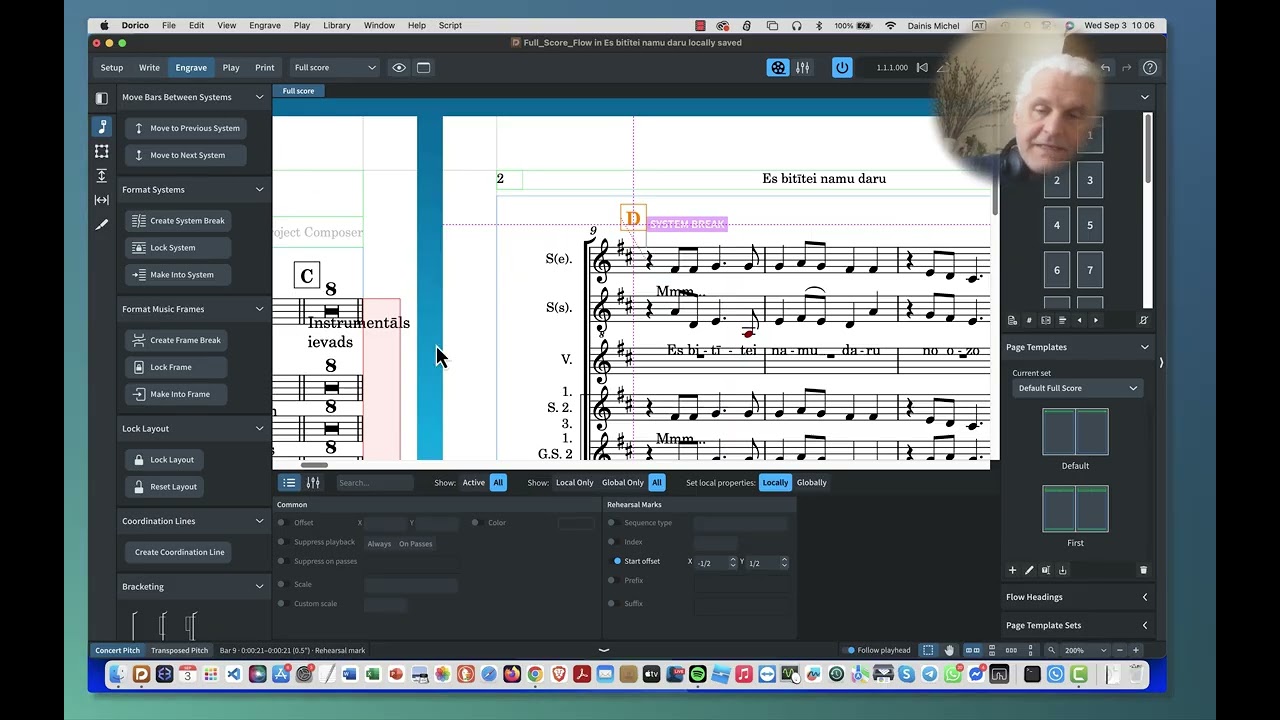
I have to admit your issue is weird, but it’s one I’ve never stumbled upon in over eight years. There might be something odd with your file, but the only way to know would be to share it (you could change all notes to c, if there’s some copyright issues with that), as it has already been suggested.
One more thing: you constantly repeat you have a problem in Write mode. The problem you have is in Write mode and galley view. What happens when you switch to page view (which should look exactly like Engrave mode)?
It’s not about D disappearing, it’s about A, B, C and D disappearing. I suppose if the text were not there, the rehearsal marks would be visible.
Have you tried modifying the preferences like this?
