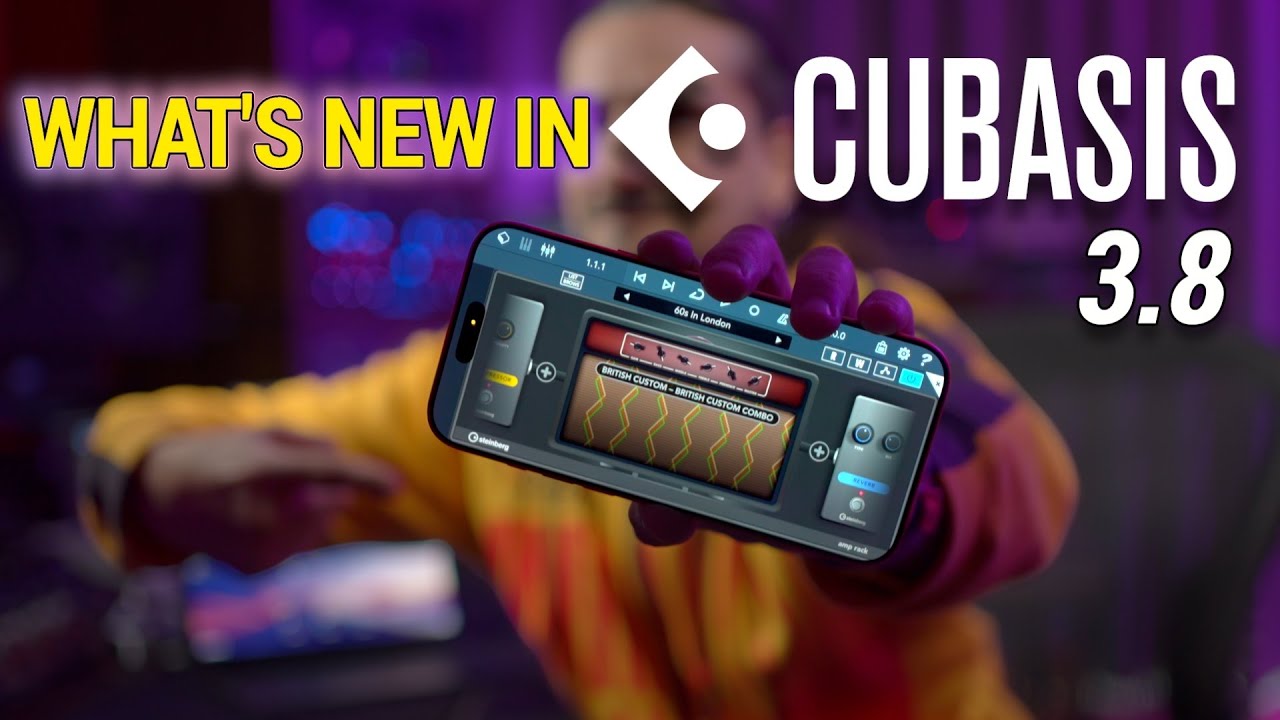
Cubasis 3.8, Verve, Etude & Iconica Sketch 1.1 – Available Now!

Dear all,

UPDATE

Cubasis 3.8.2 has been released to resolve several user-reported issues

UPDATE

Cubasis 3.8.1 has been released to address the most critical user-reported issues

I hope you’re doing well!

I’m excited to share the news about our latest releases!

Cubasis 3.8 (and Cubasis LE 3.8)
Download Cubasis on the App Store
Get Cubasis on Google Play

Verve for iPhone and iPad
Download Server on the App Store

Etude for iPhone and iPad
Download Etude on the App Store

Iconica Sketch 1.1
Download Iconica Sketch for iPhone/iPad on the App Store

Cubasis 3.8 introduces legendary guitar and bass amp tones, a new tuner, enhanced audio routing with Bluetooth audio recording support, portrait and windowed app modes, external display compatibility, and full iOS 26 integration, exclusive plug-ins for Verve and Etude users and much more.

We’re also proud to present two new premium piano apps for iPhone and iPad:

  • Verve: A beautifully captured felt piano from Yamaha Studios, perfect for emotional scoring and atmospheric textures.
  • Etude: The soul of a Yamaha C3X concert grand, delivering rich tone and dynamic realism for a concert-level experience on the go.

Finally, Iconica Sketch 1.1 brings improvements and fixes for an even smoother orchestration experience.

From December 17, 2025 to January 7, 2026, enjoy special introductory offers and additional deals. For details, please visit: Mobile Apps Sale | Steinberg

We’d love to hear your thoughts on these releases!

If you enjoy the updates, please support us by rating Cubasis 3.8, Verve, Etude, and Iconica Sketch on the App Store.

Wishing you a wonderful holiday season and lots of creative inspiration!

Enjoy being creative
& stay well,
Lars

4 Likes

Verve and Etude Tutorial

1 Like

Cubasis 3.8 Tutorial

1 Like

New in Cubasis 3.8

Cubasis 3.8 transforms your iPhone and iPad into a powerful mobile studio for musicians of all kinds. With Cubasis 3.8, plug in your guitar or bass to access legendary amp tones and presets, stay in tune with the new tuner, and enjoy smoother sessions with improved audio routing and Bluetooth support. Work in your way with portrait mode, external display support, and full iOS 26 integration. Plus, get exclusive Cubasis plug-ins if you own our all-new Verve and Etude for iOS piano apps and more.

Cubasis Bass Amp
So you’ve laid down a great bass track – now it deserves to sound its absolute best. That’s where our Bass Amp Suite shines, featuring an arsenal of the most sought-after, great-sounding iconic bass amps, paired with a wide range of EQ, compression, and dedicated bass effects like Chorus, Phaser, Flanger, Envelope Filter, Octaver, and many more. Of course, we’ve included a huge selection of pro-sounding presets for all kinds of genres – whether as a starting point or for that final polish, the choice is yours.

Cubasis Amp Rack
Your guitar track demands more than just volume – it craves character, tone, and impact. Cubasis Amp Rack delivers a rich collection of legendary amp models, paired with a versatile suite of guitar-focused effects. Whether you’re chasing vintage warmth or modern edge, Amp Rack will get you there with ease, making it simple to dial in your perfect sound. And with a wide range of genre-ready presets, you’re set to quickly shape your tone– or fine-tune it to perfection.

Cubasis Tuner
Before you bring your next musical idea to life, ensure your tuning is spot on with the all-new Cubasis Tuner. Discover one of the most beautifully designed tuner plug-ins, blending sleek visuals with intuitive controls and lightning-fast response. With both simple and advanced interface modes, it enables fast tuning with pinpoint accuracy. Stay perfectly in tune and keep your creative momentum going, without any distractions.

Smarter Sound, Portrait Mode, Bigger Screens & iOS 26 Ready
Cubasis 3.8 introduces audio input and output device selection alongside Bluetooth audio recording, giving you full control over your routing and mobile capture setup. Enjoy greater workflow flexibility with portrait mode and windowing support, plus full support for external displays to expand your creative space. With full iOS 26 compatibility, Cubasis is ready for whatever you create next.

*Using Bluetooth audio may introduce system-related latency.

Additional Verve and Etude Cubasis Plug-in Versions
Verve and Etude, our brand new piano apps for iOS and iPadOS, deliver world-class piano sounds – ideal for scoring, classical, jazz, pop-oriented pieces and more. Use them standalone on your iPhone or iPad, or seamlessly integrate them into any AU-compatible DAW. Plus, if you own both Cubasis and Verve or Etude, you’ll get an additional Cubasis plug-in version of the instrument at no extra cost for enhanced integration and peak performance.

Improved MIDI File Support
Cubasis 3.8 now supports import and export of Tempo and Signature track data in MIDI files, making it easier to preserve timing and structure across apps and devices. These enhancements improve compatibility and streamline your workflow when arranging and sharing projects. Additional refinements also make working with MIDI files smoother and more flexible than ever.

More Features and Improvements
Features alone don’t make a great app – usability and reliability do. Alongside its exciting new features, Cubasis 3.8 delivers thoughtful refinements such as significant Tempo and Signature track improvements, addressing user feedback for a smoother, more enjoyable experience… and much more. Renowned for its usability, Cubasis now offers even greater performance and long-term stability. For the full list of fixes and enhancements, please find the Version History below.

If you like Cubasis, please support us by rating this app in the App Store!

2 Likes

Verve for iPhone/iPad + Etude for iPhone/iPad

Verve – Felt Piano Redefined
Warm, intimate, and cinematic. Verve is a beautifully detailed felt piano, perfect for emotional scoring, ambient textures, and expressive songwriting. Captured at Yamaha Studios with absolute precision, Verve offers a deeply personal playing experience. Included textures – crafted from metal, glass, dry ice, and more – blend seamlessly with the piano to create immersive, atmospheric soundscapes.

Verve_for_iPhone_iPad_Guide.pdf (3.4 MB)

Etude – A Grand Piano in Your Hands
Etude brings the soul of a Yamaha C3X concert grand to your mobile setup. With breathtaking tonal richness and dynamic realism, it’s like composing with a world class piano. Ideal for songwriting, performing, and producing with unmatched authenticity, Etude delivers a concert level experience wherever you are.

Etude_for_iPhone_iPad_Guide.pdf (2.9 MB)

• Two stunning pianos: Felt and grand
• Studio quality sound, mobile-ready
• Seamless AUv3 integration with Cubasis and more
• Perfect for scoring, songwriting and live performance
• Verve includes cinematic textures for emotional depth

Cubasis 3.8 Version History

New Features
• Added Bass Amp with iconic amps, cabs, stomp effects, and pro preset library.
• Introduced Amp Rack with legendary amps, guitar effects, and genre-ready presets.
• Added Tuner with simple and advanced modes for fast, accurate tuning.
• Added Verve and Etude Cubasis plug-in versions for users of the iOS apps.
• Improved MIDI File support with Tempo and Signature track import/export.
• Enabled portrait mode support on iPad and Android tablets.
• Added full screen and windowed app support for iPadOS 26.
• Added Bluetooth recording support, as well as AirPods high-quality recording on iOS 26.
• Added audio input/output device selection on iOS.
• Enabled stereo recording with internal mics of iOS devices.

UI & Workflow Improvements
• Effect rack now has a preset display with arrows for browsing.
• Selecting an effect preset now enables the effect.
• Double-tap on an event in select mode now opens the editor.
• MIDI recording doesn’t create a new event anymore if the editor is open.
• Keyboard now remembers open panels.
• Horizontal scrolling with mouse and trackpad in arranger view supported.
• Routing popups now positioned correctly and close when tapped again.
• Zoom panel no longer overlaps automation handles.
• Fixed hidden instrument list back arrow after adding an AU multi-output track.
• iOS keyboard shortcut hint “close view” is now displayed correctly.
Performance & Stability
• Instrument content is now shared between Cubasis 3, Cubasis 3 LE, and Steinberg’s AUv3 instrument apps on iOS.
• Optimized hardware-accelerated UI rendering.
• Improved undo reliability.
• Fixed a crash when launching on external display connected to iPad.
• Fixed crashes on some Android devices (Pixel Fold) after content download.
• Fixed an intermittent crash when launching Cubasis on iPad 7th generation.
• Improved stability when changing Iconica Sketch presets.
• Fixed audio hiccups when loading projects during playback.

Audio & MIDI Enhancements
• EQ bypass state is now correctly exported/imported in DAWproject files.
• Improved tempo track recording and playback sync.
• MIDI file export moved from the Mixdown to the MediaBay’s Share dialog.
• MIDI file import and export consider tempo and signature tracks.
• Improved MIDI file import/export handling of drum channels.
• Muted notes are no longer exported to MIDI files.
• Fixed crackling noise when removing or toggling effects or switching presets.
• Fixed crackling noise when switching Micrologue presets.
• Fixed audio playback issues when converting stereo to mono during playback.
• Fixed issues with the ruler’s grid and labels when using the signature track.
• Automation points are no longer cropped at the top and bottom.
• Send level automation points no longer lie outside the editor.
• HALion Sonic Selection, NeoFM, FM Classics and LoFi Piano now respond to CC7 volume control.
• HALion Sonic Selection octave, coarse, fine and pitch-bend knob arcs now start from the center.

Bug Fixes
• Undo of event copying via handle works as expected.
• Undo of effect and instrument parameter changes works as expected.
• Dry mixdown or track freeze with a send effect now works as expected.
• Audio Unit UIs are no longer hidden while the undo info popup fades out.
• Keyboard shortcuts now work while undo info popup is visible on Android.
• Corrected folder behavior when opening effect rack after saving an AU effect preset.
• Fixed wrong file naming when doing a mixdown to separate files.
• Instrument list browser updates correctly when switching between AU tracks.
• StudioEQ curve and band switching issues resolved.
• Fixed broken UI after loading large MIDI projects.
• Fixed punch-out functionality in cycle mode.
• Fixed missing popup when AUs are unavailable.
• Fixed chaotic automation lines when pasting.
• Fixed wrong gluing results with different audio event states.
• MIDI output notes at the cycle start are no longer cut off if no instrument is assigned.
• Fixed the file name when sharing to Google Drive on Android.
• Fixed broken insert slots in a new project in Cubasis LE 3.
• Fixed broken MediaBay icons in Cubasis 3 LE for Android.
• Shop demos now play correctly on all Android devices.

Technical Updates
• Updated Android API target to API level 36.
• Updated Android audio engine to Oboe 1.9.3.
• Updated Ableton Link to LinkKit 3.2.1.

1 Like

Channelstrip , why it doesn’t show precise number like before ??

1 Like

Hi @dsun0066

Channelstrip , why it doesn’t show precise number like before ??

Do you mean the channel strips in the mixer?
If so, simply tap the XL button at the top right of the mixer to make them appear.

Best,
Lars

Channel strip in audio effects that have filter cut , gate , compressor and saturator :grimacing:

https://youtu.be/RXDBLl9VvZ0?si=Spk13j2SR0eaYbcM

1 Like

Hi @dsun0066

Reproducible and shared with our engineering. The problem is expected to be resolved in the next update.

Thanks again for your report!

Best,
Lars

1 Like

Hello

https ://stage.steinberg.net/promotion/

This link is prompting for a username and password (I put in a space because the forums won’t let me post links).

Also what are the Android improvements please? I see them written but it’s not 100% clear what improvements apply to both android and IOS, would be nice to just have separate posts about each OS so it’s clear.

How much gb is Etude? Cheers.

Also any chance of adding a facility to select a row of midi notes by for example just holding a note rather then using the select tool? Helpful when doing beats and having to select a row of notes. Cheer

Why do DAW makers just stuff new instruments in rather than address core needs such as midi slave functionality or the option to select output channel for send fx? Weird.

1 Like

After the update i cannot switch between my micrologue own presets any longer.

Very annoying, my fresh „init“ presets in my track were reset to init, and i cannot use my own. Own presets are not usable.

I have my presets sorted in folders. Presets in folders doesnt work any longer, they are not selectable.

In channel strip fine adjustments value are no longer visible on gate, cutoff and so on…

Again an update with more new bugs as fixes. Portrait mode is cool, but there were so many other important features for soo long to wish…

Now waiting another 6 months to fix and hope for long wished features?

Or only a bugfix update in six month? :slight_smile:

On every new update new things missing.. I dońt know what to say.. I hoped for simply a few new long wished workflow features, and no other instruments that already existet.

There is no bigger step forward.

I feel fear to work on my tracks any longer in cubasis to find new problems..

Hi @CutNGlue,

Thanks for your message.

We receive many feature requests for Cubasis and try to include as many as possible in each update. Sorry if this update doesn’t cover what you need.

Could you share more details about your issues? Ideally, please create a new topic and include exact steps, a video, or a project so we can reproduce and fix the issues.

Cubasis is known for its stability, which we’ve improved again in this update (see the list of fixes). However, as a complex app, new updates can introduce issues. We’ll address these in the next maintenance update, and your input helps us reproduce and resolve them.

Best regards,
Lars

1 Like

Hi @TheTool

Thanks for your message - the link is fixed.

Best,
Lars

Hi @Cyrus_Rustom

Thanks for your message!

Here are the download sizes of the new piano apps:

Etude - 737 MB
Verve - 1,5 GB

Below please find the link to the MIDI editor chapter of the Cubasis help, which hopefully helps to answer your MIDI note select question. We also have several tutorials available on our Mobile Apps YouTube channel.

Best,
Lars

Hi @LSlowak ,

After the update i cannot use my audio-technica ath-m50xbt bluetooth headphones with cubasis 3 any longer.

It dont let me choose 44khz or more.

It is fixed to 16khz and i cant change it.

Also my airpods 4 anc dont let me now choose more than 24khz..

Itś so bad..

That has always fantastic worked before update, and was absolutely important for me to make mobile music.. :frowning: It is all so disappointing with always new big problems after every update…. Together with the problems i mentioned before it is all really sad.

Greetz

1 Like