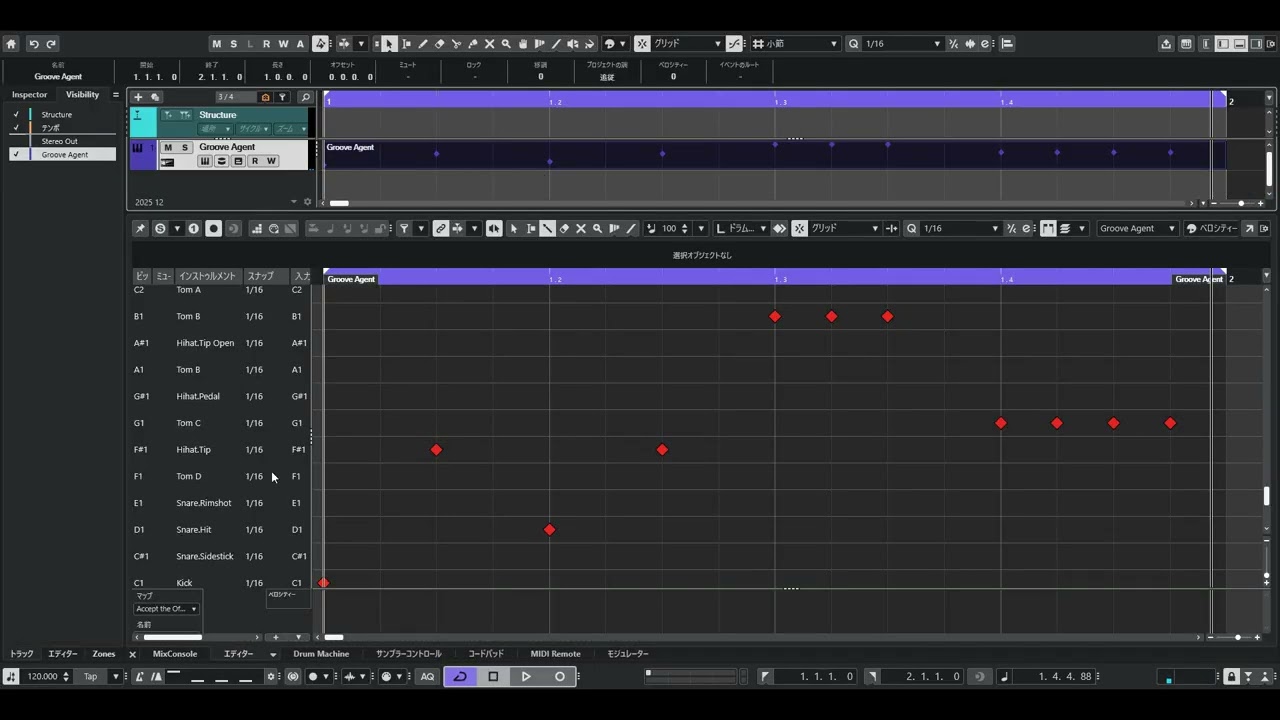
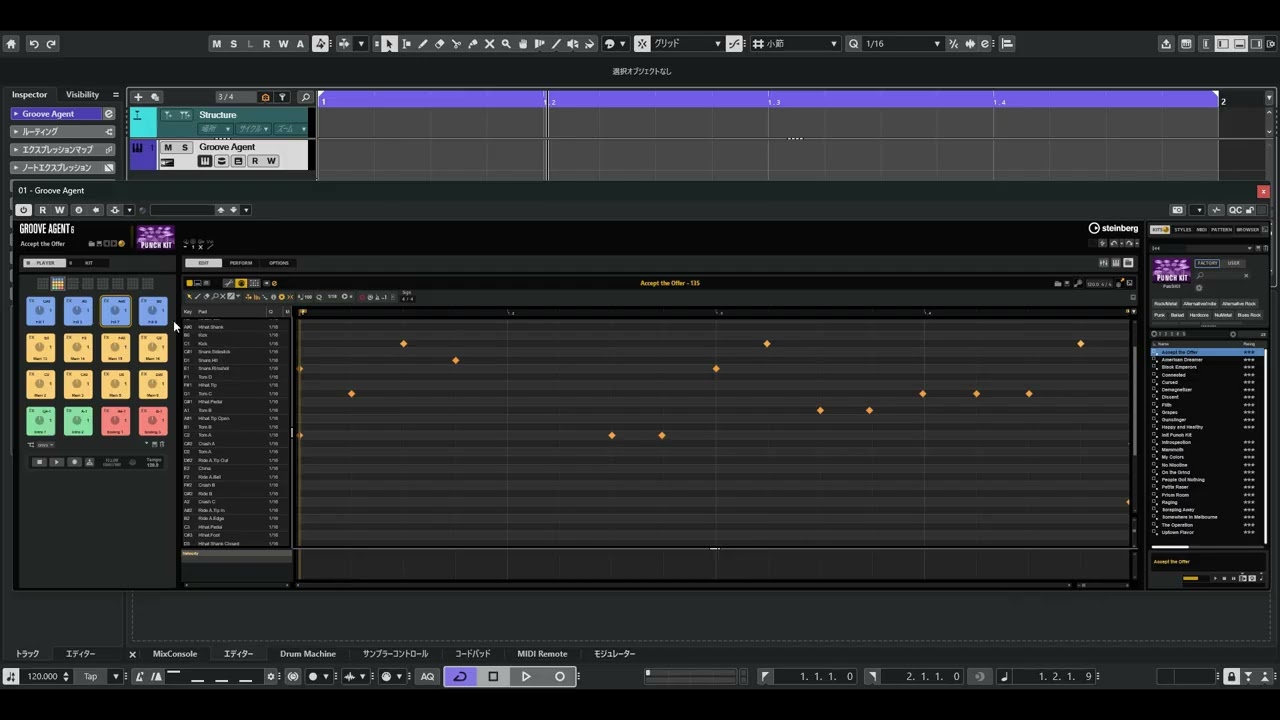
Patterns dragged from the Groove Agent 6 “pattern player” to Cubase 15 are incorrect.
Patterns dragged from the Groove Agent 6 “Midi Player” into Cubase 15 are correct.
I made a video explaining the bug.
The patterns are also easy to understand because they use factory presets.
This is a copy of the “Fill 7” pattern from the “Accept the Offer” kit in the “PUNCH KIT” via “Style Player” → “Midi Player” → “Pattern Player.”
When switching from “Midi Player” to “Pattern Player”, the information for “Crash A” and “Crash C” is missing.
When dragging from “Pattern Player” to Cubase, some of the information for “Tom A” is missing.
Please check if changing the buffer size and sample rate of your asio driver makes a difference. Also, try to use another audio driver. Maybe the Generic low Latency or Steinberg built-in driver.
Unfortunately, I still cannot reproduce the issue here.
What?
That’s a strange story.
I feel like I’ve been transported to another parallel world.
I also tried it with the “Steinberg Built-in ASIO Driver” and “Generic low Latency Driver” on another of my laptops, but the results were exactly the same.
laptop PC(IStNXi-14FH056-i5_-UHXXB-30TH)
Intel core i5-10210U CPU 1.60GHz
16 GB RAM
Realtek Audio (Steinberg Built-in ASIO Driver and Generic low Latency Driver)
Intel UHD Graphics 128MB
Windows 11 Home 25H2
Grovve Agent 6.0.20.1050(64 bit)
Cubase PRO 15.0.10 Build 164(x64)
Desktop PC (Motherboard : Asus PRIME Z790-P D4-CSM)
12th Gen Intel Core i5-12400F
16 GB RAM
MOTU Ultralite mk5
NVIDIA GeForce GTX 1650
Windows 11 Pro 25H2
Grovve Agent 6.0.20.1050(64 bit)
Cubase PRO 15.0.10 Build 164(x64)
Could you tell us the machine you tested and its specs? Jan?
Thank you for your comment.
I understand that there is no problem in your environment.
But I don’t understand what you mean.
I don’t think Groove Agent 6 has a feature called “Create Drum Map from Instrument”.
Thank you MrSoundman for your kind advice.
But my poor brain couldn’t understand that what you were saying was related to my troubles. Sorry.
So I’ll try contacting Japanese support.
Please give me a moment.
I have exactly the same problem. When I am dragging the pattern as midi in transport, it’s not the same and the midi notes are incorrect transpose. this is nothing to do with buffer size! Are you using AI to write the code in Steinberg? Please fix it. If the solution is to transpose the drum map then it’s a bug. The beat agent 4 is working fine, but for vintage kits and The Kit at least bug is there. Maybe in the wholde acoustic kits and I am not going to do the debugging work for you.
If you read above you will see that this is not happening on every system.
Perhaps it would be more useful if you described your problem in more detail, as well as how to reproduce it, step by step. Until the issue is reproducible, nobody can fix it.
I am not sure if it is related to Groove Agent. Looks more like something wrong with Cubase. Please check if the problem persists with fresh Cubase preferences. Have a look here about how to do it:
Sometimes the wrong pitch and sometimes missing notes. Seems to only affect offbeat notes.
This was created from empty project.
This was on Win10 machine
I too am having the same issue as the op plus another related issue. All the notes of the pattern are visible but some are in the wrong place. If I edit to correct, then on playback some don’t sound. I’m no expert but I’ve been using Cubase for years. Why can’t we just drag and drop like seemingly every ‘how to’ video on YouTube? Thanks.